Can I buy one of these?
There is a gauge on the website ( https://pocketmidi.com ) where you can add your vote to help me know if there is enough demand for another batch.
I have just released v1.5.0 of the firmware/software.
Besides some UX tweaks, the chord mode now has options to cover 3 octaves, and strum mode is now bipolar so you can strum up or down the chord over 1, 2, or 3 octaves.
Also, I’ve been adding little (?) explainers throughout the web app to help explain most of the features. I’m guessing I’ll probably need to make a user guide eventually though, what do y’all think?
4 Likes
v1.6.0 is now live. There are some UX/UI changes and many stability & workflow updates. One being the send/upload button is up top and activates when anything is changed, and all the settings will sync periodically as well.
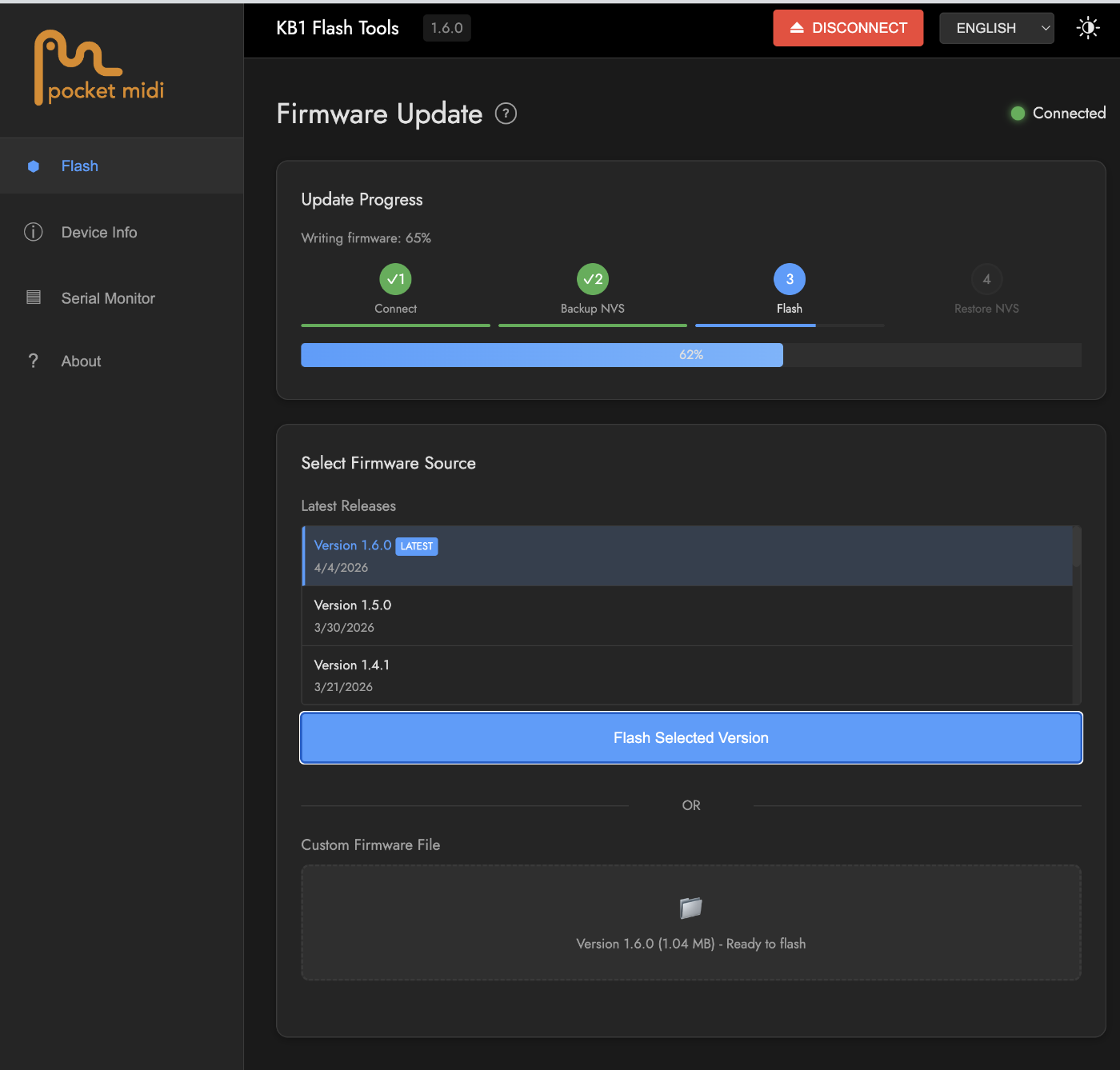
But the biggest change is the new KB1 Flash Tools site which is covered in the readme quick-start section, here…
And linked here…
This new flash tool is made specifically for the KB1, and preserves all settings and battery level data in between firmware updates. The firmware versions are served up on a list so there is now no need to download, and you can even easily downgrade if you want. Included are a couple other tools to see your stats or open a serial monitor to see the midi data realtime.
3 Likes
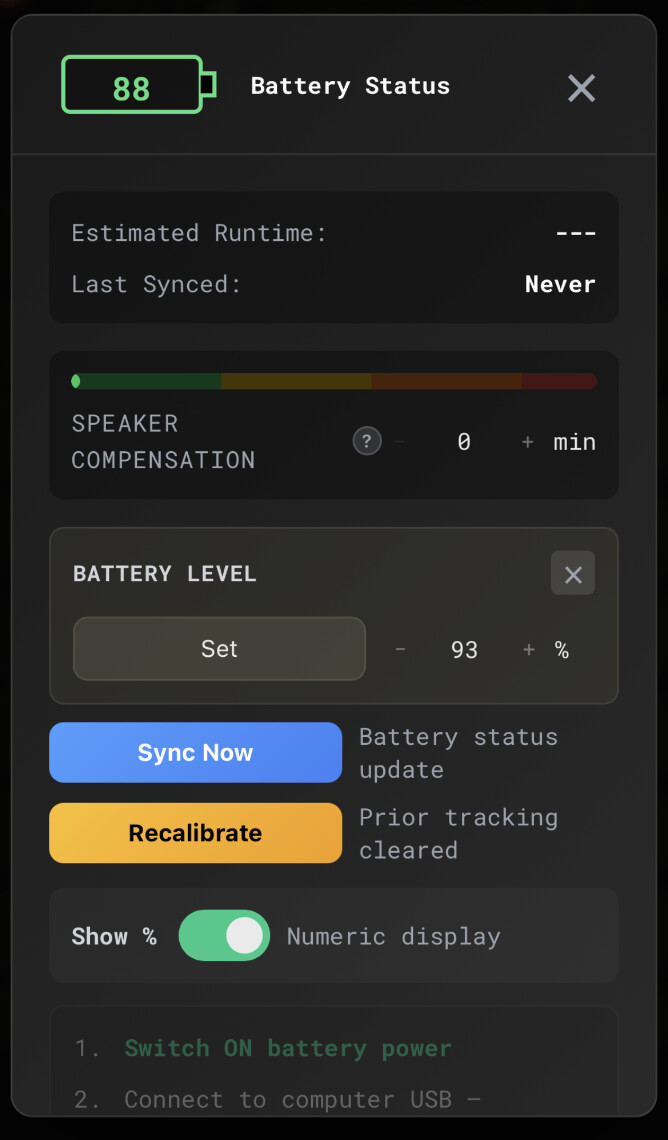
For those brave souls that have been trying out the new battery level estimator; if you lost data in between updates, there is now a hidden way to manually set it back without having to wait 5 hrs to re-calibrate. This is only if you have already calibrated and know you had a certain level, or for testing (otherwise your level will be wrong) .
Clicking 5 times on the large battery icon will give you the secret settings window.
1 Like
i hope youll do another batch im a guarenteed buy i already showed my wife and she wants me to get it 
but i get theres economics concerns etc when ordering all these parts plus your labor of manual assembling them all
interest votes seems to be above 40 now; maybe go for 50 batch and get the word out some more online? might take a while to sell them all but i cant imagine they wouldnt all eventually sell its such a great addon
id also be glad to pay a good amount for any possible later alluminum casing upgrade for it; if the swap wasnt any more complex than say a steam deck or psp shell replacement; im sure most ppl could handle it if its just 2 or 3 pieces; but i know getting machined/finished metal parts aint cheap
thanks for your efforts the new firmware/app features are really exciting
For those interested, I made my first real post on my new studio channel a little KB1 performance: https://youtu.be/jly5O8qrEvY.
If you like this kind of thing I’ve recorded a lot of videos like this that will be dropping weekly! Not exclusively KB1, but certainly lots. Like and Subscribe  !!
!!
3 Likes
Liked and subbed! Good presentation 
Awesome video!
This is the first YT video I’ve seen with a production(non prototype) KB1 in the wild.
Love It!
2 Likes
I am in the process now of beginning another batch of 50. Keep an eye on this thread or the website in the coming months for updates - hopefully by mid summer 
3 Likes
v1.7.0 is up now with lots of bug fixes, UI tweaks(may have stolen some color pallets from a certain group of teenagers), speed and efficiency bumps, improved battery estimations, and a working preset workflow. I plan to upload a few presets later this weekend to offer some ‘quick start’ setups because I realize this thing is getting pretty complex.
The basic preset idea is you either go to the PRESETS:Cloud button and load up something to try out, or you go mess with the overall settings to get what you like and save a snapshot in one of 8 slots. Then you can either just keep it in the web app browser, save it to a matching slot on your KB1 device for longer term recall, or upload it to the cloud to share with all of us.
I do feel like I’m working in a vacuum when I don’t get any feedback.
Please LMK if you are trying these new updates - love em, hate em, or just meh
4 Likes
Pleased you approve sir! More of that in tank. Share and share alike 
2 Likes
Always update my KB1. Thanks for your hard work on this project!!!
2 Likes
wonderful thankyou!! ive been checking the site every week or so; i hope we will get an email when they are up- i hope there wont be a big open run on them i dont wana miss out ><
I sure wish I could provide feedback 
*Edit*Just saw the post about another batch of 50. Let me know when you’re ready to take my money!
1 Like
here here!
v1.7.1 us up now.
There are some UI/UX enhancements, and 4 starter presets are now pre-loaded for all to explore.
Just open the PRESETS menu bar to see them. Click apply, and the upper right send arrow will be armed and ready to send to the KB1.
These are meant to give a quick-start and to showcase just a few of the ways the Levers, and Touch controls can be used real time in tandem with the keyboard’s scale, chord, and strum settings.
I hope it leads to more experimenting 
1 Like
Are all batch and firmware updates solely posted here? I don’t see an email list or anything on the site. I just don’t want to miss out on the next run.
The current firmware/software versions are on a banner at the top of the pocketmidi site https://pocketmidi.com
As for the next batch. I’ll be posting here as I get closer. So yeah, subscribe to this thread. And anyone who registered on the website will get an email when the batch is ready to go, but it will be open to all this time - no more invites.
2 Likes
Sounds good Sean. I get alerts for this thread. I just wanted to make sure I wasn’t missing an email list or something. I’m signed up on the website too. I am constantly missing out on small batch niche stuff (looking at you AIAIAI). Even when I set an alarm. Or stay up all night for a launch. I just miss it somehow. If I miss out on this keyboard, I’m going to give up.
1 Like