Do I have to press a button or what am I missing? I just flashed the new Firmware, but i can’t find any bluetooth device?
I’ve tried with Chrome on my windows Laptop and VBrowser on my Iphone. I’ve also tried to connect the KB1 with Camera Connection Kit to the Phone directly…
Press / hold down the arrow buttons at the same time until you see the lights beside them flashing. Then it’s in Bluetooth pairing mode.
Because of some confusion and simply because I’ve started to dislike the octave button hold myself(can be a little fiddly), I have just changed the way BLE is enabled.
Now just squeeze the 2 levers together(push both levers toward each other) for 3 sec, LEDs will light up, then blink faster, then stop when connected. That’s it - squeeze, hold, release. Also added are some helpful blinks when the app connects and disconnects for some peace of mind - this is all in the newest build v1.2.0 - Releases · PocketMidi/KB1 · GitHub
1 Like
@djmemetic thx. That worked.
@SeanMichaelJohnston i fell in love with the tracker instantly. Then I saw your kb1 and thought now it’s even better… and now you come across with chord mode! This makes everything perfect! Thank you for your work. This is amazing!
1 Like
couldn’t get the browser to work (using chrome on arch+kde) / had to run:
esptool --chip esp32s3 --port /dev/ttyACM0 --baud 460800 erase-flash
esptool --chip esp32s3 --port /dev/ttyACM0 --baud 460800 write-flash 0x0 update-kb1/KB1-firmware-v1.2.0.bin
thanks for the report  - you linux guys rock!!
1 Like
Latest update - v1.2.5 with Strum Shape mode.
These are early days still for the KB1 firmware and software, so it’s kind of a moving target for you early adopters, but I hope you all keep trying the new releases. There’s just so many things we can do with this little microcontroller based Tracker Mini companion - I may be a bit obsessed with this at the moment 
I’ve been adding little animated UI bits this last week, and now we have a new mode in the Chord section that is similar to, but not quite, an arpeggiator. It’s in Chord Strum mode(at the bottom), so I’m calling it Shape, because it shapes the chord progression of the strum with arp like directions and swing, and also gives us a continuous loop, like an arp, but can transpose across the keyboard.
There’s also a new category in the lever/press controls that’ll let you toggle thru the Chord patterns and change speed real time, along with other Chord settings.
We (Claude and I) also added some colorful descriptors when scrolling thru the chord types, for people like me that didn’t take music theory class.
I hope you will try it out and give me some feedback here.
firmware here Releases · PocketMidi/KB1 · GitHub
app here KB1 config
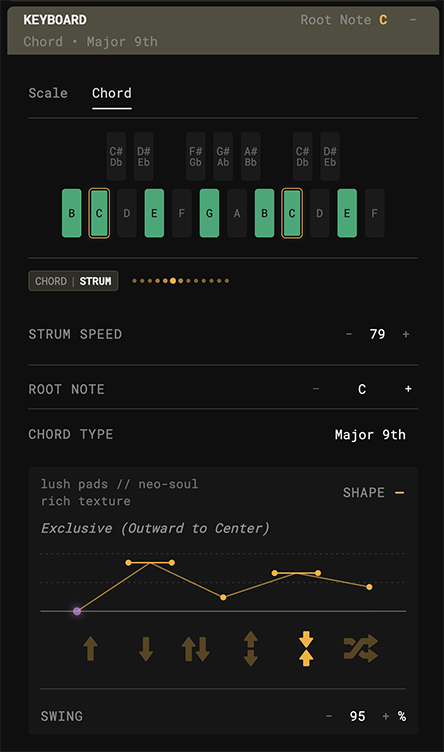
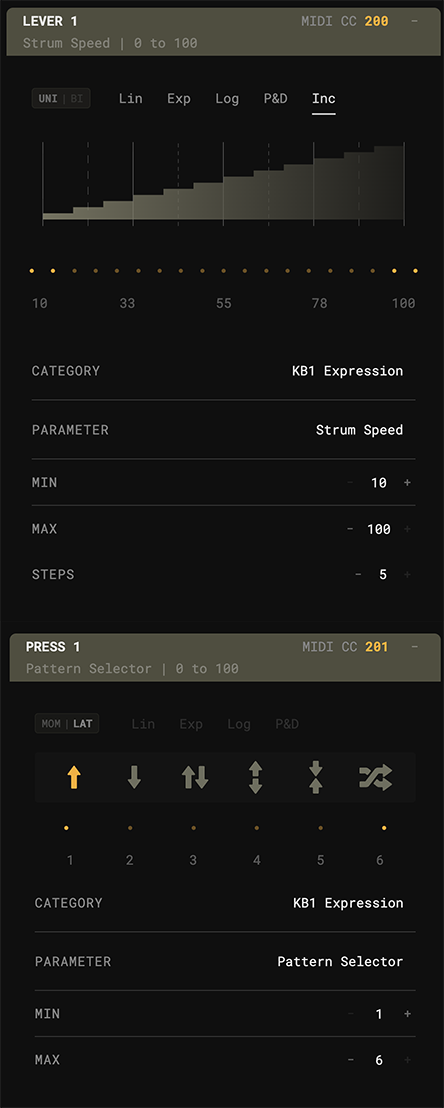
1 Like
Anyone interested in selling theirs? PM (or email gbrendel @ gmail) me if so.
Got “confirmation” I was on a email list when they’d be available to purchase. Guess that wasn’t true. Bought a mini specifically for this, lol.
1 Like
It’s on the website and I’ll say it here too. If anyone for any reason decides the KB1 isn’t for them, I will accept returns and give a full refund.
Or I’ll pay an extra $10 
I’d pay an extra $100, honestly.
Really noticing the improvement re: key strikes with the latest 1.30 update! Feeling nimble!!
Something that I think would be a QoL improvement is being able to see the battery life of the device in the power / sleep settings. Just a thought!
Great! - I went thru and did some optimization to help everything run a little smoother.
Thanks for the positive feedback!
And, yes, that is something I would have liked to have added to the hardware. I have been considering ways to do that if I make a KB2, but alas for the KB1, there is no battery level detections
Standby - working on a way to estimate battery levels on v1.3.5
1 Like
Whats the right way to charge this device? Should it be charged with the switch turned on? Sometimes the behavior of the charging lights is not consistent. Can’t tell what the difference between flashing red or flashing orange or both.
It’s a quirk of the ESP32 board at the heart of the unit. It must have a battery connected before it will charge.
This means for us - switch it on first, watch the LED startup sequence and look for the side yellow LED light to come on - THEN plug in the usb and watch the side red LED start to blink - that’s it.
1 Like
v1.4.1
As I mentioned, I was unable to add a battery level meter to the PCB.
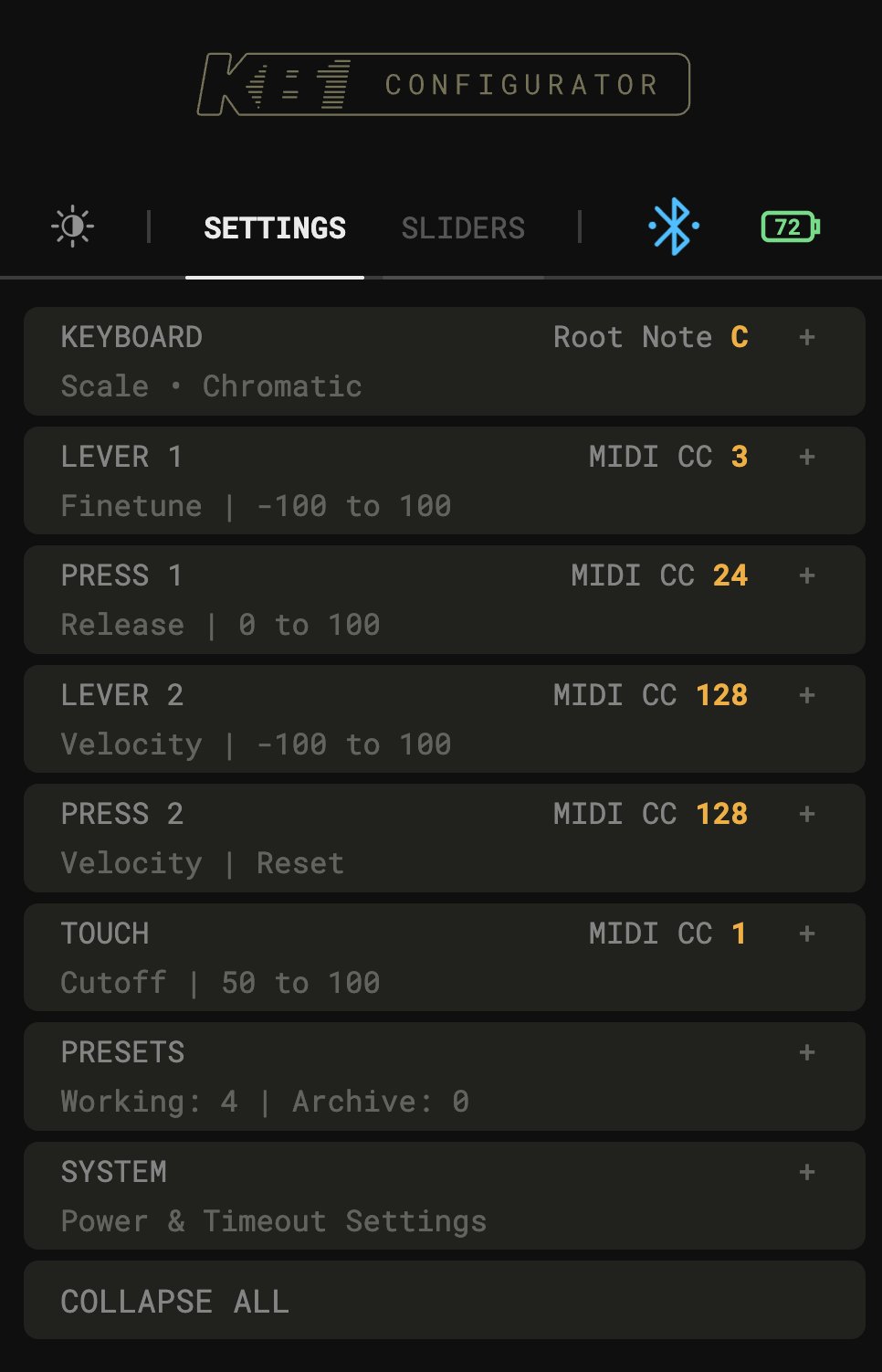
Well, with a little math and some fancy data tracking, we now have estimated Battery Status in the Config app. It is optional, so you can turn it on in the “System” settings, (once active you’ll see a clickable battery icon top right). The way it works is, after an initial calibration charge it will keep track of your usage and subsequent charges to try to give you a pretty good estimate of battery level.
After updating the firmware to 1.4.1 you will notice slow breathing of the LEDs, but only when charging while connected to a computer (Mac, PC, Android, iPhone, etc.- anything with a usb signal). This will last for 5 hrs during the initial calibration charge (doesn’t have to be all at once, but, you know, just let it go overnight).
Charging with a power adapter(dumb charger) will not activate the data tracking, so if you don’t want to use this new feature, you can just ignore it and keep charging as before.
The app has more info in the (?) messages, and there’s even a speaker compensation slider as well to help estimate drain when you’ve been using the speaker amp.
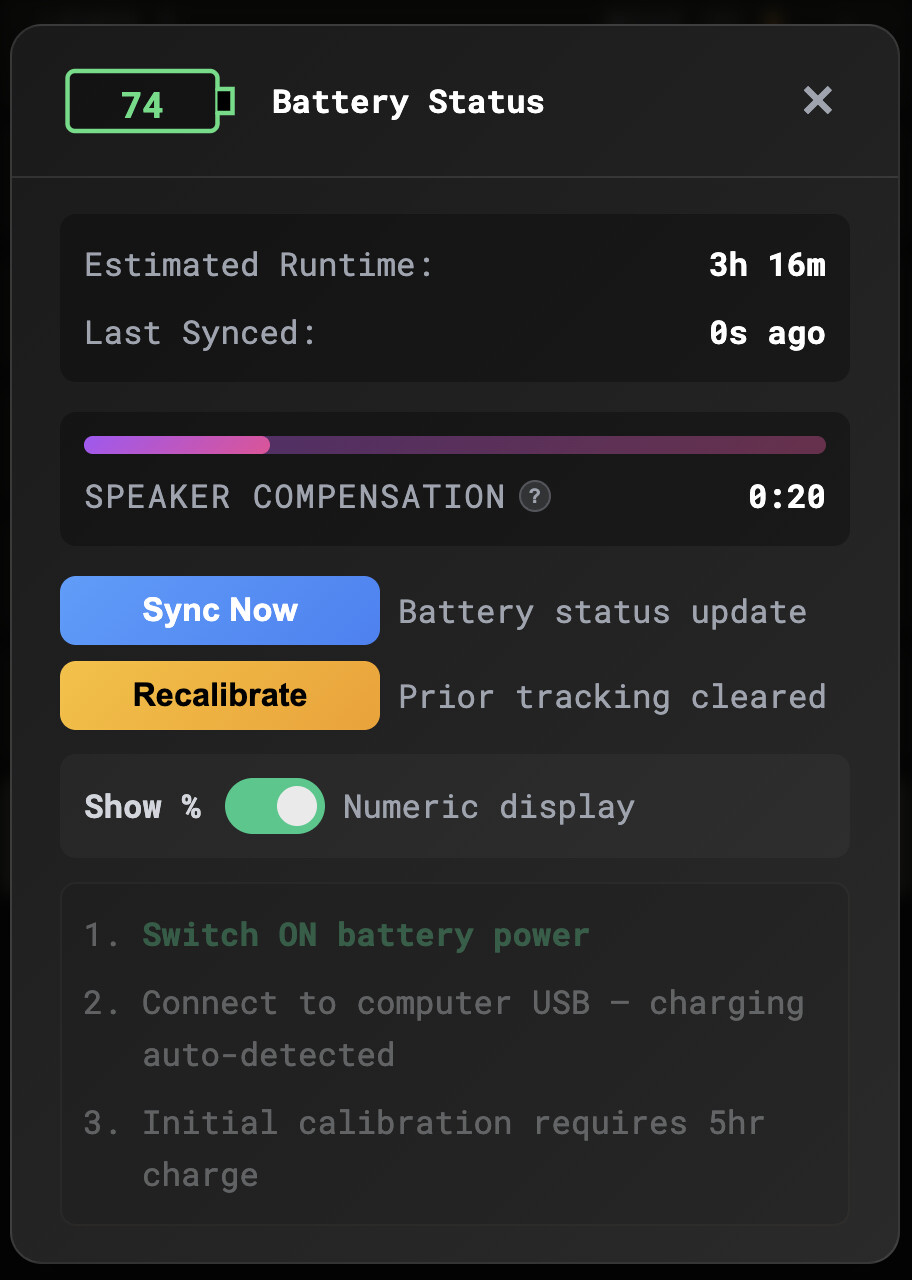
4 Likes
Hey thanks for coming up with such an inventive solution! Am I correct in my understanding that for this feature to work you only need to calibrate using a computer, but the charge will still be tracked in the app after initial calibration even if we use dumb chargers?
No, in order for the KB1 to know that it is charging, it needs a USB data connection/handshake so that it can keep tabs - the app is the front end for this. A dumb charger just sends power only.
This is why I made it optional, I think only real geeks will jump thru this hoop
Okay, so for this feature to work as developed you have to commit to only charging the KB1 with a device that sends data. Challenge accepted 
1 Like

The speaker compensation was actually way too conservative, so it just got updated.
The estimated power draw was way off in a good way - I just ran the speakers with various music at about 75% sound level until the (fully charged) battery died - just over 8hrs!!
2 Likes