Hello,
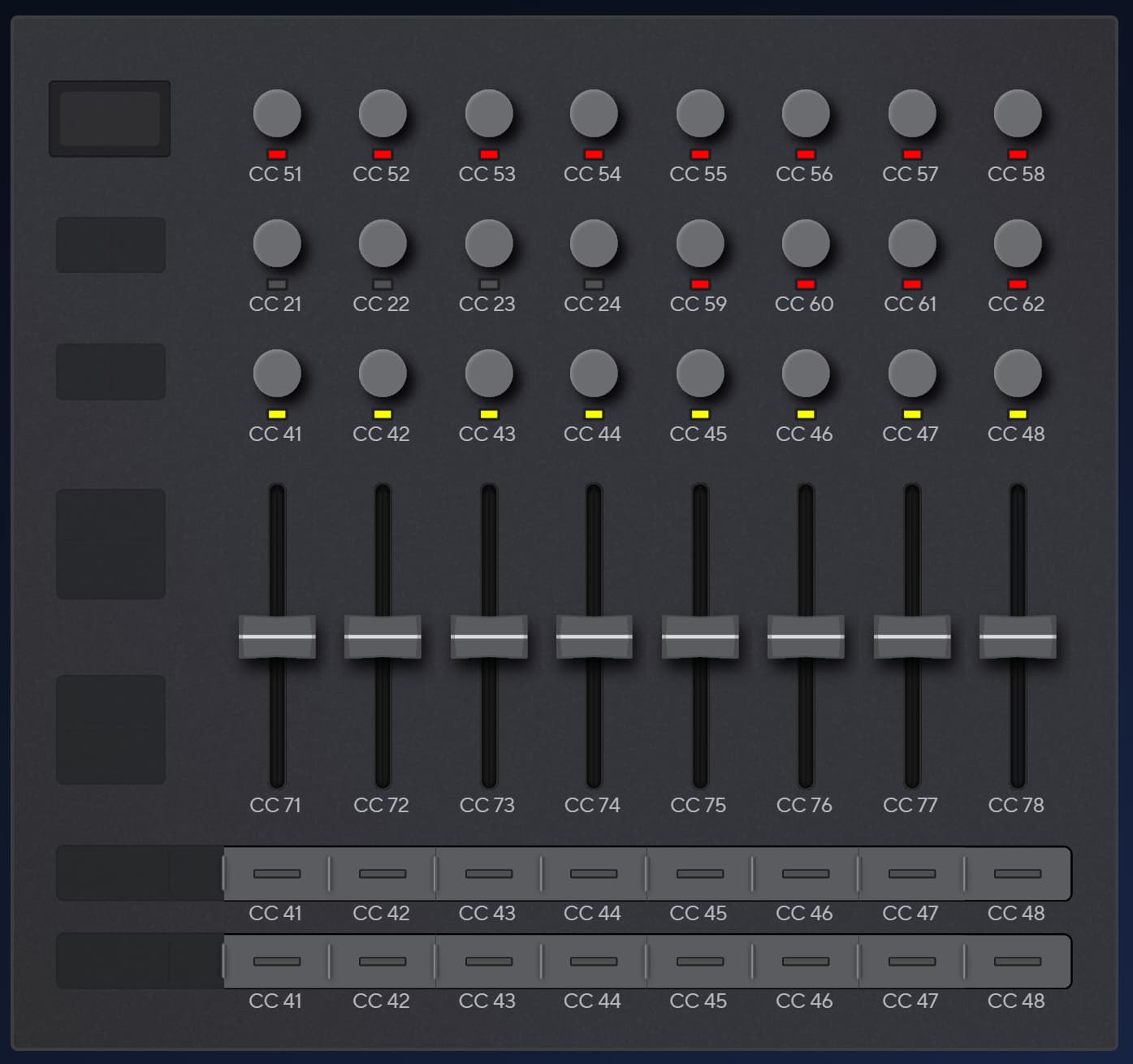
I’ve altered the CC numbers for the knobs and sliders on my Launch Control XL in order to control the Performance parameters and the track volumes on the OG Tracker (v1.9.1), even creating a dodgy toggled mute on a row of buttons (wip). Works fine!
But what I’d really like to be able to do, and am asking about, is how to control which tracks receive the alloted FX, the row of buttons just below the screen - what are the CCs required to control their functionality?
Namely:
’mute/ unmute channel (1-8)’ -
’select channel to be subject to Performance FX (1-8)’
By the way, it works really well having the Perform FX parameters on the pots of the LCXL - they have an indent and line, so you can intuitively tell when you’ve returned to 0/ center position.
Although you may want to play with the trigger for Sample Playback or a couple of other FX in Perform.
I’ve included a quick play around where I’m altering a couple of Perform FX in a more granular way than switching to the Perfom page and doing it all on the PT.
However, I’m still stuck to the Perform page to select tracks, hence my Q.
I don’t think you can control what tracks are affected by performance using midi cc, instead you need to use the physical black buttons whilst on the performance page, check out section 12.3 of the manual
here’s my launch control file :
faders, volume, tracks 1 - 8, cc 71 - 78
red encoders, performance effect values, cc 51 - 62
upper buttons, pattern number 1, tracks 1 - 8, cc 41 - 48
lower buttons, pattern number 2, tracks 1 - 8, cc 41 - 48
though I did also play around with using top and bottom buttons for max volume and mute but found the fader was just as quick and freed up buttons for switching patterns
It’s a pity that we can’t select the tracks to be affected by the Perfom mode via MIDI - that would make it trulyuseable and independant, as it is, being tied to the Perform screen to select tracks kind of defeats the purpose.
Also very curious about this - I was investigating the same thing recently re: tracker mini. I want to set up the MIDI engine on the Synth to control performance mode on the Tracker, but it seems like you still have to select the affected tracks on the Tracker. Maybe this is a feature request re: having more MIDI control over that mode?