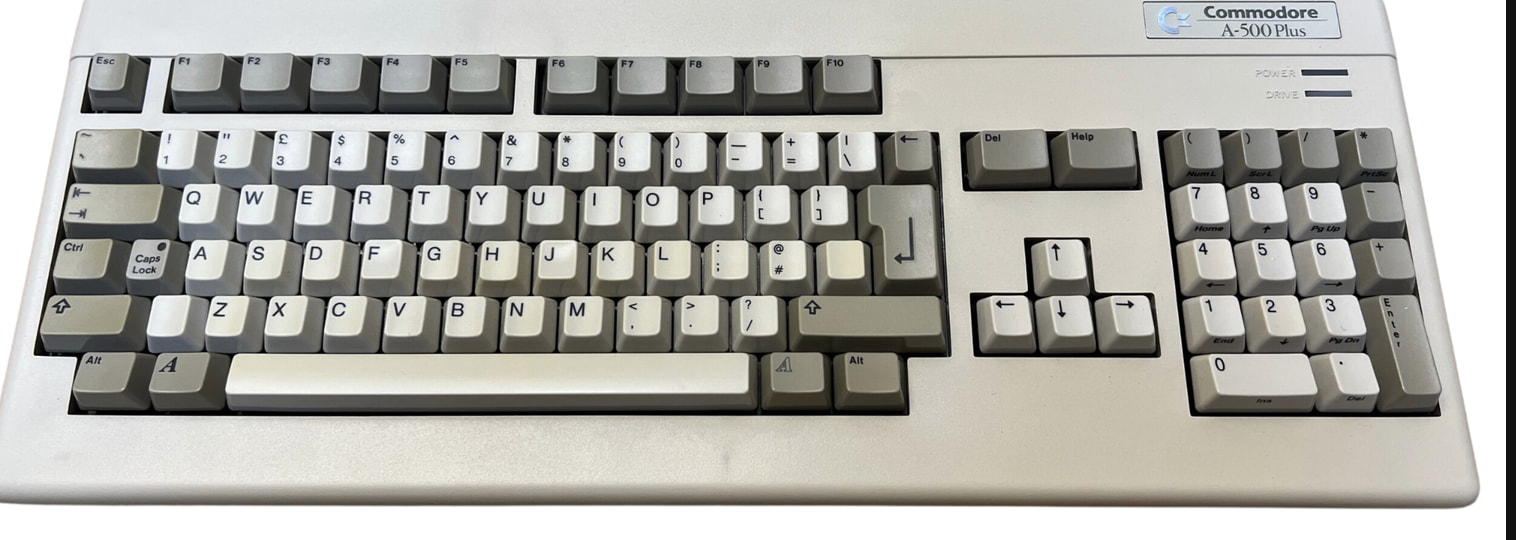
I’ve been a software developer for a long time, and I make breakbeat and IDM on a Tracker+ in my own time. Part of what I like about the Tracker is that it makes you think differently than a knob-per-function synth. Everything is a deliberate step on a row, precise and legible, and that structure is a big part of why the results feel the way they do.
That same precision is also where I spend most of my time. Building complex rhythms from scratch, odd meters, probability and microtiming per step, spreading a chord across the monophonic tracks, and coming up with controlled variations of a groove I already like. I enjoy shaping and finishing a pattern on the machine. I’d just like to get to that point with more ideas already in front of me.
So I’ve been toying with the idea of a small native Mac app for that starting-point and variation part, that then gets the result onto the machine. Generate a rhythm (Euclidean, probability, swing, humanize), mutate a pattern into related versions, keep everything reproducible from a seed. A companion, not a replacement. The Tracker stays where you shape and finish things. I’ve built enough of a rough prototype to know the shape of it, but before I take it further I want to know if it solves a real problem for other people or just for me.
The part I’m least sure about is getting patterns back onto the Tracker. It doesn’t import MIDI files, so the two routes I see are writing the actual project and pattern files to the SD card (I’ve been checking the format against Polyend’s own tracker-lib), and playing patterns in live over MIDI while the machine records. I haven’t fully proven the SD card route on my own hardware yet.
So I’m curious. What do you actually do today to prepare or vary patterns, on or off the machine? Is there a part of programming patterns that annoys you more than the ones I listed? And for anyone who has copied a project onto the card from a computer, does the Tracker load it cleanly, or is that a dead end in practice?
Curious what you think, and whether this is worth building properly or whether I’m solving a problem nobody else has.
5 Likes
as far as i can see, youre able to make pti using tracker lib or packetti, and get a partial pattern implementation using the impulse tracker format, which doesnt take into account sample points or looping. but with the combo you may be able to get a complete conversion both ways. assuming you also use renoise and stick to limits. i get the impression line fx are not translated. i was able to open an exported .it file on the pc in a tracker that reads .it files. but it only played back my entire sample, no start or end points, no looping, no wavetables, no granular.
if you use tracker for midi and keep your instruments and samples on another machine ie m8 then youll have fully translatable sequences and your samples wont need to be translated… in theory, i think an m8 sample based instrument will be easier to construct on your mac but dont quote me. this will also give you many more voice architecture related options than pti allows.
I am interested to see how your idea develops.
As far as moving projects files around, I’m usually back and forth between the Tracker+ and the Mini.
I’ve used the iPad using an adapter/card reader, and more directly using my MacBook, the MacBook seems to be more stable. And deleting things off the card is a lot more cleaner that iPad for some reason.
I’ve copied stuff from the Plus over to the Mini via iPad and vice versa and I found the occasional random bugs that either corrupt the project file or cause some strange behaviour in the song.
Otherwise things are mostly running smoothly, file management is done via my laptop now.
@john.boys Thanks, that’s useful. The .it route is the exact limitation I’d worry about. An .it carries the audio but drops the tracker-specific stuff (slices, loop points, wavetables, granular), so you lose most of what makes the instrument. My plan is to write the Tracker’s own files instead (.mtp patterns, .mt projects, .pti instruments) so that data survives the trip, with live MIDI as the quick second route for just the notes. When you go the M8-and-MIDI way, are you mostly moving note data, or trying to carry instrument state across too?
@mat.on.the.moon Thanks, and that’s the most useful data point so far. The occasional corruption is exactly what I need to understand before trusting an SD-card route, since writing a project the machine reliably opens is the whole ballgame. Do you have a sense of when it happens? More on projects you’ve copied over from the computer, or does it also hit ones the Tracker saved itself? And roughly which firmware are you on? Even a rough pattern would help a lot.
if my samples are all on the m8 then no to anything but midi from / to tracker. but it was a silly suggestion. i dont think there is an adequate answer to what you want. and this is how polyend prefer it: tracker is supposed to be an island. for now at least. looks like we are waiting for someone to develop tracker lib.
i would absolutely love this and in fact even made this account to express support of this idea.
my dream goal for tracker was to be able to make MOD and IT files on the computer and then have polyend tracker as playback, but until someone makes the conversion reliable then i’m interested in any alternatives that could possibly exist. i love the polyend tracker too much to just discard it though. its potential is too great to be ignored, IMO
@john.boys Fair, and honestly the island idea is part of why I like the machine too, so I’m not trying to turn it into a slave to the computer. The way I think about it, the Tracker stays where you shape and finish, and the app just gets a starting point in the door that you can ignore whenever you’d rather build from scratch. On the transfer question, I agree the file side is the hard part and I won’t pretend otherwise. Live MIDI into record mode isn’t really blocked by the island idea though, it’s just playing notes in like any controller. Waiting on tracker-lib is fair, writing the real .mtp/.mt is the same bet, just made now instead of later.
@DanielD.mp3 Thanks, that genuinely helps, making an account to say so is a real signal. On MOD/IT conversion, I’ve been leaning away from it, for the reason john.boys ran into above. .it and .mod carry the audio but drop the tracker-specific stuff (slices, loops, wavetables, granular), so a converted instrument loses most of what made it. My current plan is to write the Tracker’s own files so that survives. A MOD/IT export could still be useful purely for moving material to other trackers though. What would you mainly use it for, portability to another machine, or something else?
1 Like
i am using software in conjunction with tracker, absolutely! they are a pair one born from the other and computers have always provided synthesized tones for trackers to gobble up! this is just the big boys version. i love workarounds when theres no direct way of doing what you want (not)
tracker og is plenty for way cheap in contrast to the extra layout for the plus. i bought my og for $225 used then put a new encoder and knob on. it does most of what i need the plus for and its everymans tool. i love needing to use methods to get what you want from a basic tool! sort of. the tracker has a nice modern sound, if youre making 4/4 music that limiter works well for a standalone unit. i feel if you spend appropriate time preparing for the use of tracker you can get completely acceptable results out of it, at least enough to record and edit. its a great contribution to production and hits super close to the all in one imho. you could perform from this easily enough. does it have everything? no. just gotta work around and youll get most of what you want.
heres something i think works super well with tracker and a daw. and its free. its super easy to clip perfectly trimmed loops from your vst environment (hardware too, of course). make samples for your tracker to chew on. its the essence of a tracker workflow
also check out paketti if you cant wait, it does some special stuff and can get to the sample points
@john.boys Thanks, both are good pointers. Paketti is the closest thing to what I’m doing on the instrument side, it’s exactly the .pti-with-sample-points detail that matters, and it’s reassuring that someone else treats that as the real bar. The difference I’m after is standalone and native on the Mac, aimed at generating and varying the patterns themselves rather than getting samples in, so no Renoise in the loop. Polarity-Recorder for grabbing trimmed loops is a nice trick too. Do you actually run Paketti in your own flow, or is it more a fallback when you need the sample points to survive?
im a renoise n00b and have not installed paketti yet. im having a ton of fun just using tracker right now.
paketti will also arrange your sliced files so you can do the thing.
When you go the M8-and-MIDI way, are you mostly moving note data, or trying to carry instrument state across too?
indeed you can send program changes to access up to 128 ‘instruments’ prepared on your m8. its a tracker with recallable instruments and m8 just takes a pc message. this is also the essence of a tracker, being able to page between instruments with inflection built in. you even get note on per modulator. its a big step up honestly. but you can freak anything with a decent depth. many synths will respond to pc quick enough to make it musical. m8 just happens to be a deep in many ways and can deliver patches dynamically and are all based on the same tempo etc. its a capable midi target even if you arent using line fx but m8 responds to cc for any parameter you assign it to. im always using m8 from my hapax and trackers next. you can keep your breaks on tracker and all your melodic stuff on m8 lol. try a synth theres lots to choose from with some surprises sure to please any synth nerd
for me it’s less about the sound and features of each format and 100% all about ergonomics. making .MOD files on Protracker and .IT on Impulse/Schism tracker both have the most well-designed keyboard layouts and GUI i’ve ever used in making music, all major DAWs included. so for me it’s all about being able to really make music on one device and walk to another and continue the idea. in fact I have all my in-progress modules backed up onto a cloud drive. i even use VividTracker on iOS to keep fleshing out ideas on the phone!
polyend tracker’s tactile layout and ergonomics are something completely unique to the device. i’ve also been a big LSDJ/M8/handheld tracker user and while they are pretty good, they kind of limit me to just just my thumbs. polyend tracker seems like they really thought about what a physical tracker would work like in the physical world. i’m especially hoping for the upcoming polyend keys to interface with polyend tracker too, even though i realize that would be close to building a laptop…but not really though, because it would also have built in audio I/O, MIDI, and no distractions…so maybe it’s closer to building an Atari ST? 
so if there was just a way that I know I could continue working on the polyend tracker with the same projects that I do on the computer and the phone in this way then I’d be in heaven. Polyend Tracker Studio was promising but it just doesn’t have the keyboard shortcuts and quick UI. so .MOD and .IT seemed to be the closest way of realizing this dream IMO
1 Like
@DanielD.mp3 That’s a good distinction, and I think you’re right. The tactile entry is a big part of what makes the Tracker the Tracker, and a Mac app can’t replace that, nor should it try. The way I see it, the computer is only useful for the parts it’s actually better at, generating a starting point and throwing off variations, and then you take it back to the machine to play and finish, where the layout you love does its thing. Out of curiosity, when you’re at the Mac would you even want to enter notes there, or would you rather it just hand you generated material to shape on the hardware?
@john.boys Ha, fair, enjoying the machine as-is is the whole point. And good tip on the M8 program changes.
no worries. personally i can’t stand anything “generative” - including eucledean or other algorithmic sequences, but i see why others like it. for me it’s all about tactile feel. like if you look at an actual amiga, the keyboard layout is different in the function keys and the numpad. the software was written to be optimized for the physical ergonomics (numpad lets you switch between exactly 01-0F instruments). F6-F10 is a quickjump between parts of the measure and those Function keys are in their own cluster. it’s one of those things that’s genuinely hard to explain until someone else does it too.
I genuinely believe that Polyend deep down understands this and it’s part of why they are even considering making the keys. you’re also right the tracker has its own unique tactile feel that can’t be replicated even if someone were to make a perfect clone of their tracker software so to me a computer solution even works to enhance the hardware
1 Like
i think there will start to be hacked stuff on tracker at some point, because so many people love the hardware. im keen on it myself although i really wish the tracker philosophy wasnt so limited. to me it could go deeper on many fronts and also get some fixes that i think it needs. but its just a product that isnt worth the time anymore. the show must go on and there aint nothing going on but the rent!
it just means that were stuck waiting for an empathetic uber nerd to show us all whats actually possible on this hardware. because its sure not polyend’s priority these days! im just gonna use it as is. ill use that for $225 and put my own encoder in so it works well.
Although it doesn’t always happen, but I think the way the iPad handles the project files (from my cloud to the card reader via iPad), project files will be weird glitch or two. Although sometimes I’d just power down the tracker and reboot, then the glitches have disappeared.
I’m honestly not clear where exactly or why the random bugs occur yet.
But transferring projects, the most reliable for me was having both trackers directly connected to the laptop and moving the files that way, I’ve had no hiccups so far.
My firmware is current for both the T+ and T Mini
Thanks, that’s really useful. Laptop-direct being the reliable path is good to know, and it matches what I’d hoped, that the file handling itself is sound and the iPad was the odd one out. That narrows my remaining worry to whether the files I write are correct, which I can test.
1 Like
All good, that’s just my personal experience anyway. I found also that deleting files off the sd card via iPad, doesn’t really delete the files, what I mean is, file is removed, but the space it used on the card still seems to be occupied with “ghost data” so to speak. So I don’t regain the space that should be there after I remove files from the card.
That’s what make me think, and I should mention I was using the “Files” app on that iPad, that it’s that app specifically, that doesn’t handle files well.
Moving anything around using that app is quite clunky, and feels more like an afterthought on apples part. But I’m no expert either, these are just guesses based off my experience with it.
to record one track at a time maybe? yeah sounds like loads of funnnn
you can only access one track using midi input if you decide to do it that way. you can get to all 8 m8 tracks all with pc and all of its voice and mix parameters assigned to whatever and it gets saved with the project. and you can get one running for around $40 if you dont need a handheld but you need to plug it to a computer. its a good start for cheap without buying the retail version.
but honestly an old mpc one (or a new one!) would outclass the m8 and give you something else to sample with the tracker