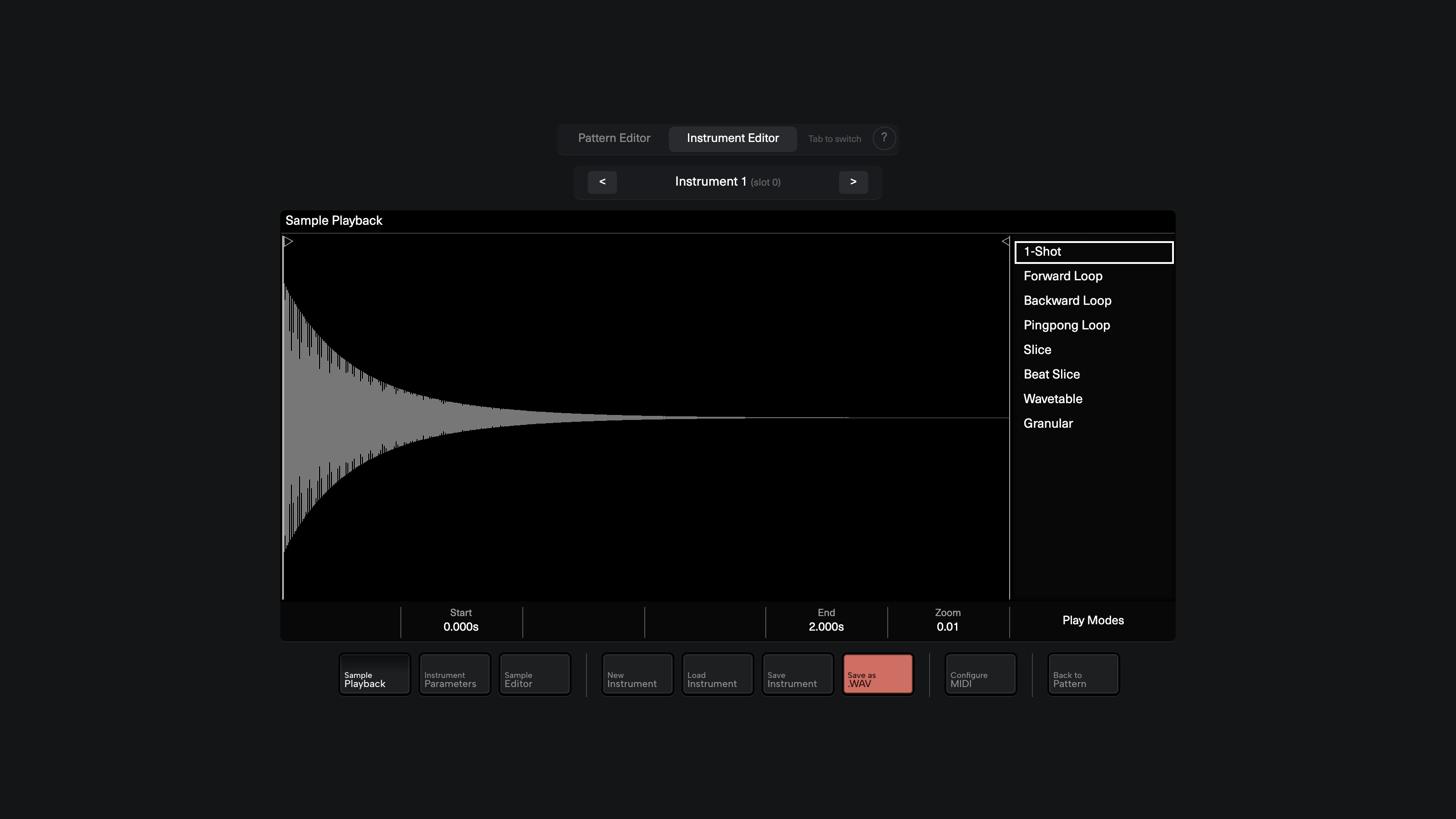
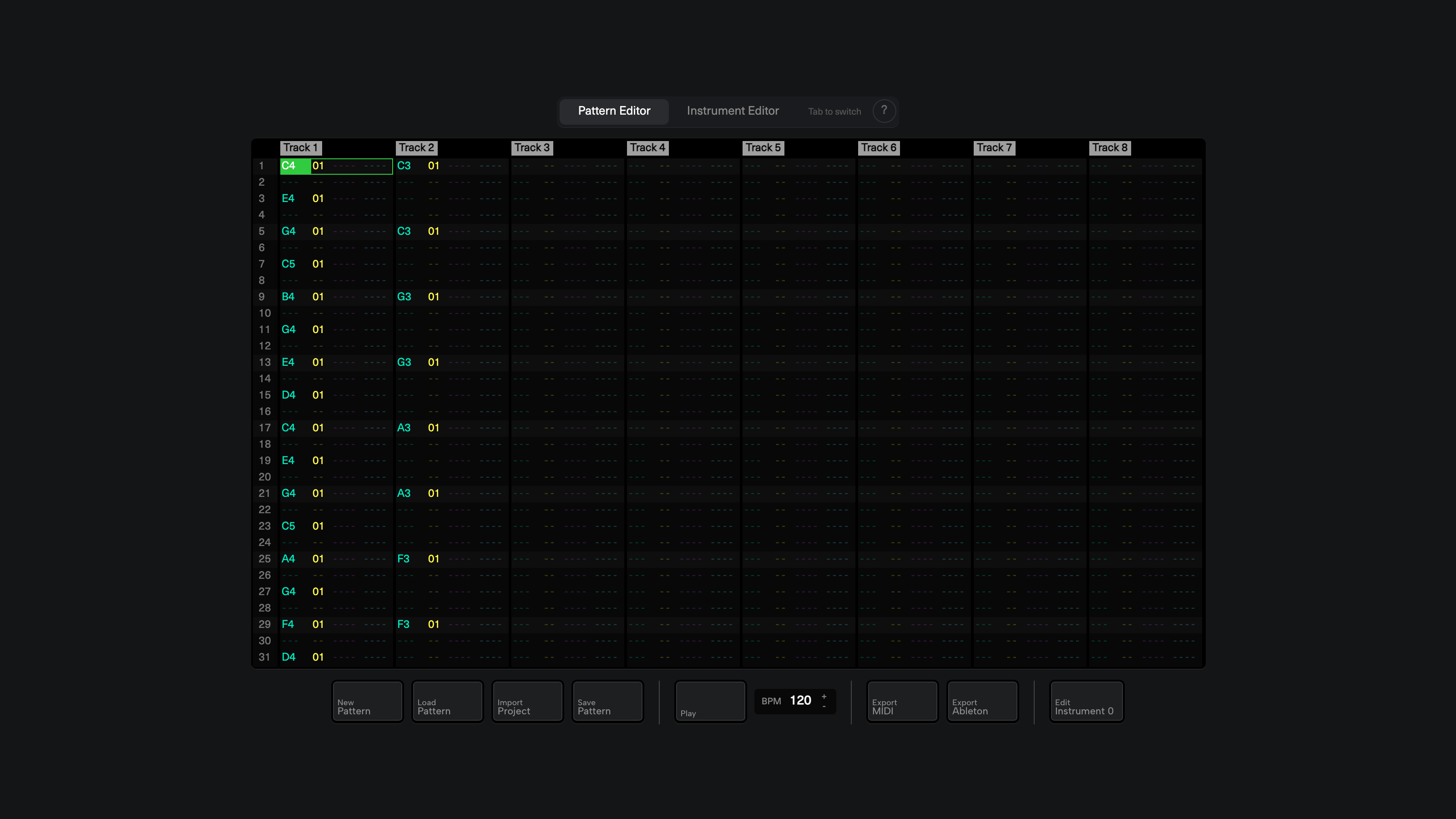
Hey everyone! I wanted to share a project I’ve been working on: Polyend Tracker Studio, a free, open-source web editor for the Polyend Tracker.
Try it live https://simoianni.github.io/polyend-tracker-studio/
WHAT IS IT?
A browser-based tool that lets you create, edit, and play Polyend Tracker patterns and instruments — no hardware needed. It runs entirely in your browser (Chrome or Edge recommended for Web MIDI + Web Audio). Nothing gets uploaded anywhere: your samples and instruments stay on your machine, and work-in-progress is auto-saved locally so it survives page reloads.
WHAT CAN IT DO?
Pattern Editor:
- Full step sequencer with Note, Instrument, FX1, and FX2 lanes
- Live playback with adjustable BPM
- Record mode: input notes directly from your QWERTY keyboard
- Import original Tracker project folders (project.mt + patterns + instruments)
- Export to .mtp (pattern), .mid (MIDI), or Ableton Live 12 project
Instrument Editor:
- 8 playmodes: OneShot, Forward/Backward/Pingpong Loop, Slice, Beat Slice, Wavetable, Granular
- Sample editor: Cut, Fade, Normalize, Compress, 3-band EQ
- Sample recorder with MIDI-triggered auto-sampling
- Full parameter control: Filter (LP/HP/BP), Tuning, Volume, Pan, Overdrive, Bitcrush, Delay/Reverb
- 6 automation lanes (ADSR envelope + LFO) for Volume, Pan, Cutoff, Wavetable Pos, Granular Pos, Finetune
- Waveform visualizer with zoom, drag-to-seek, and interactive slice markers
- QWERTY keyboard note input + MIDI controller support
Beat Slice mode: each slice is triggered by a different keyboard note — Z=slice1, S=slice2, X=slice3, D=slice4, etc. (standard tracker keyboard layout).
HOW TO USE
Just open Polyend Tracker Unified Editor and you’re good to go. There’s a built-in help guide (click the ? button) with all keyboard shortcuts.
CREDITS
This is a fork of the original Polyend Tracker Instrument Editor by Sandro “Sandroid” Ducceschi. Huge thanks to Sandro for the initial codebase and for creating and open-sourcing tracker-lib, the library that makes reading and writing .pti/.mtp/.mt files possible.
LINKS
Live app: Polyend Tracker Unified Editor
GitHub: GitHub - simoianni/polyend-tracker-studio: Web-based pattern & instrument editor for the Polyend Tracker — import and export full projects (SD-card ready), edit patterns/instruments, MIDI & Ableton export. Built on tracker-lib. · GitHub
tracker-lib: GitHub - polyend/tracker-lib: A library for reading and writing Polyend Tracker compatible project files. · GitHub
Let me know what you think! Feedback and contributions are welcome.
