Hi @Reno, thank you for reaching out, and sorry to hear you couldn’t get your Play+ going with Live. You can do this without creating an aggregated device.
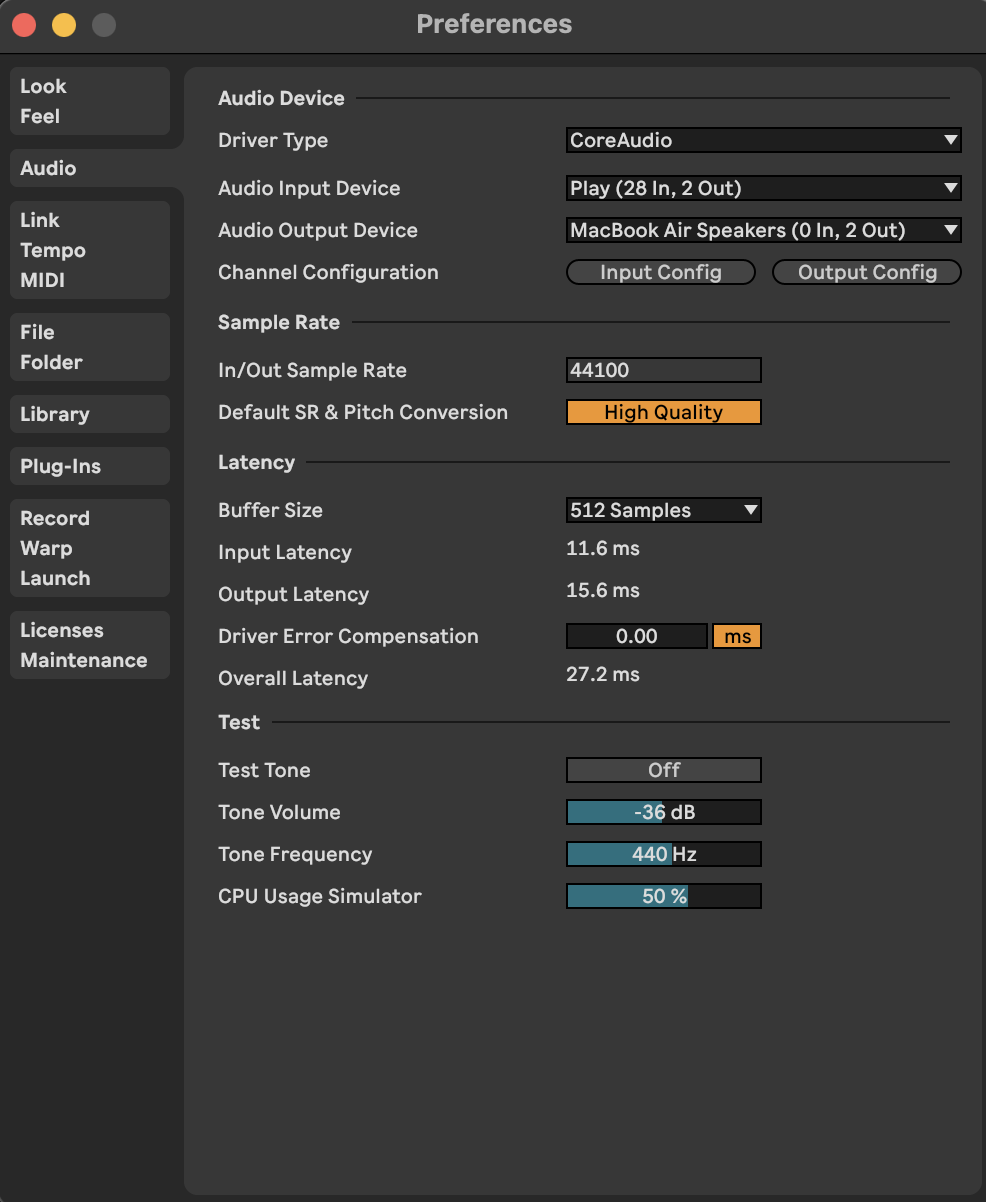
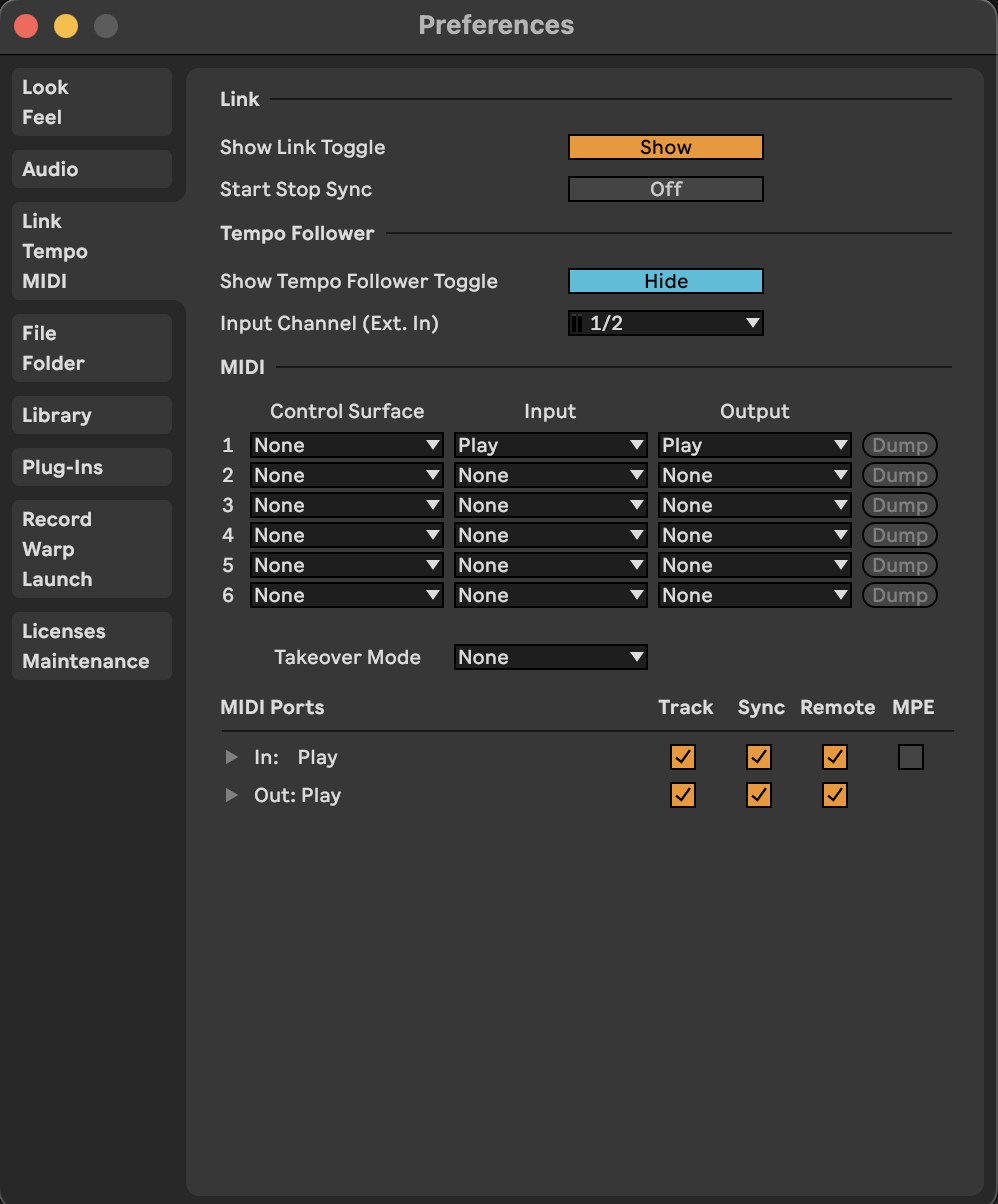
I’m using a MacBook Air (with Ventura 13.6) and the Play+ plays over the internal MacBook speaker. I have it connected directly to a Thunderbolt port with a USB-C-to-USB-C cable. Could you please try the following settings?
Will try as I arrive home tonight.
In order to use the Play+ and for example my guitar plugged to the sound interface, I need to use the aggregated device process right?
I think that’s the way to group devices without sacrificing inputs.
Tried exactly as you described and same scenario here, no difference at all.
Input sound seems coming from the Play+ on the Macbook settings as shown before, but I can’t here nothing.
If your solutions work, it should work on paper for the aggregated device as it includes my sound interface and Play+, even selecting my sound interface as output to hear the Play on my speakers instead of the Macbook speakers, but no luck.
I’m using the latest 1.0.1 beta firmware.
I am starting to think there is something wrong with my unit T__T
If I was you in this situation I might contact their support directly and see if they can arrange for a zoom or other video conference with you to do the process with you over video and try to determine if it’s broke, or they can walk you through it and maybe get it working. Make sure they know your next step is to return it, or ask for an exchange for another unit if you want, but that makes little sense to do unless you really pin down that it’s actually broken. It certainly seems like it’s possible, but having live support over video would make it so much easier to pin down if something little thing is off that could be corrected.
Maybe in the process you can even record it with them and if it works share the video so people have good video instructions.
I’ve sent an email with this post attached to hello@polyend.com yesterday to see if they can help me out.
A videocall would be great if possible to see if there is something wrong on my side, but I think it shouldn’t be that difficult to make it sound properly.
I can send back the unit through Thomann if it’s faulty but I am sad because I was waiting for my unit to arrive and the experience is not being the best at all for now.
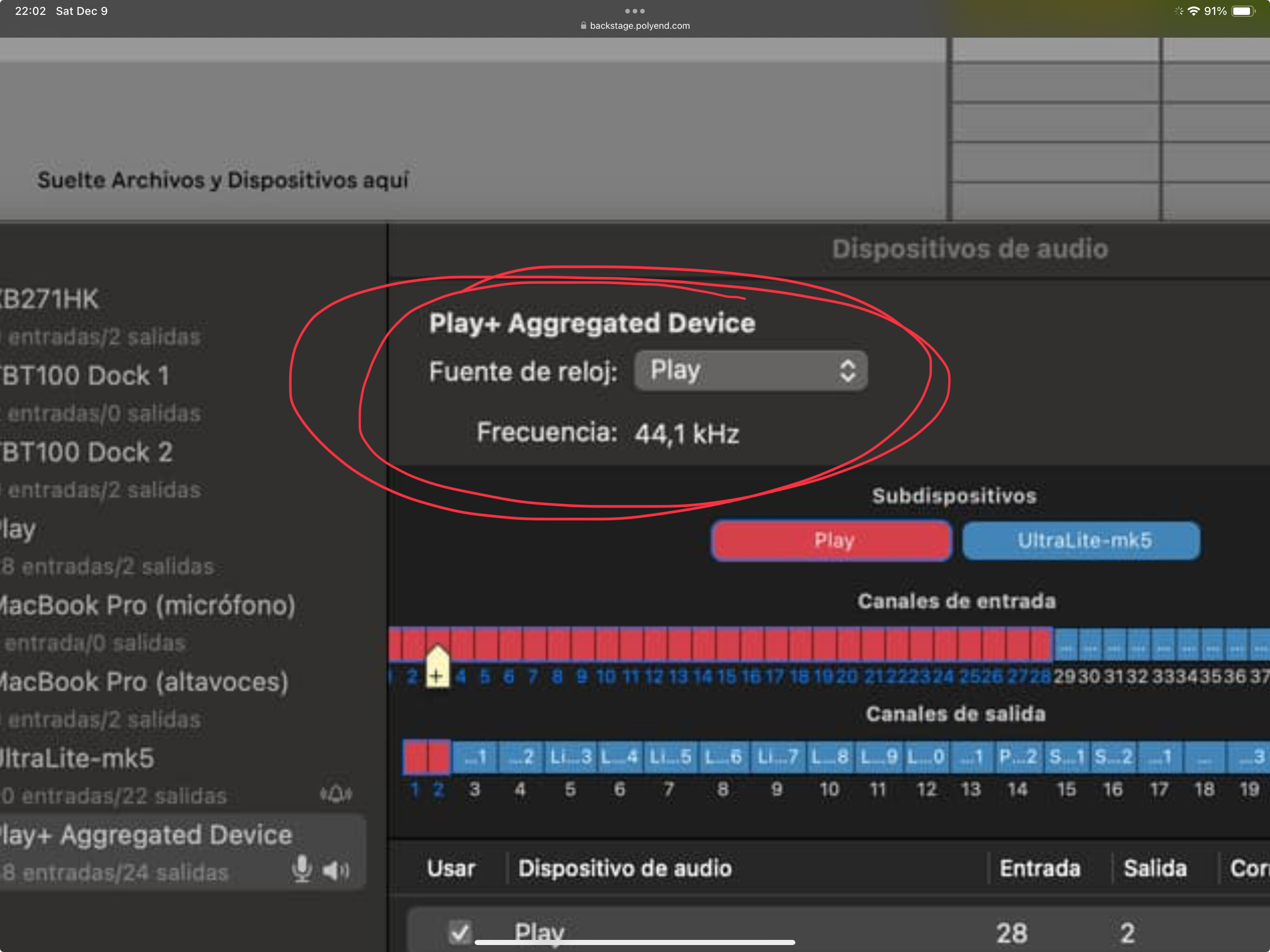
For the OP: I’m not 100% certain but I don’t think you would want the Play to be the clock master of the aggregate device. You should make the MOTU unit the clock master and have drift correction enabled for the Play. If clock doesn’t work right you won’t get any sound. It’s just the first thing that popped out to me when I saw your screenshot.
‘
@Reno
I had exactly the same problem as you and fixed it by switching the apple cable out for a data cable that came with a USB C hard drive - hopefully that’s your problem too
Hey there Wabs,
I had same experience with my P+ not working into direct connection and I’m pretty sure I own the same hub as you that was a tip you gave on one of your videos. I used the hub and It works. Go figure. I’m have clock issues now…clock in does not work. Only if the Play is the master…still guessing on this issue.
I just tried it and for me it works as expected. Using a direct connection (USB-C, macOS Sonoma) all the Audio and MIDI channels are picked up in Ableton. I can confirm that the Play’s audio out is disabled then.
Reno,
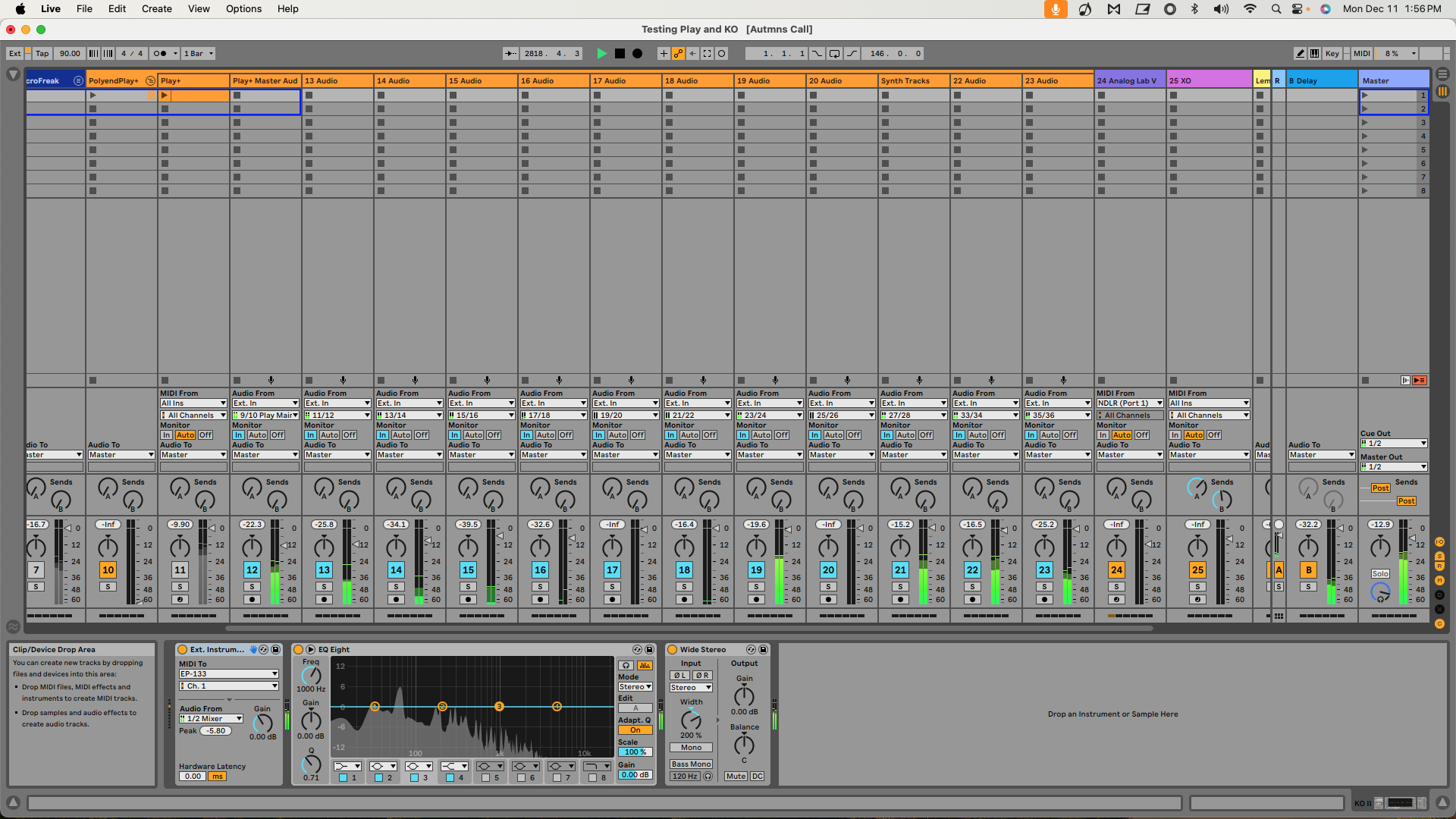
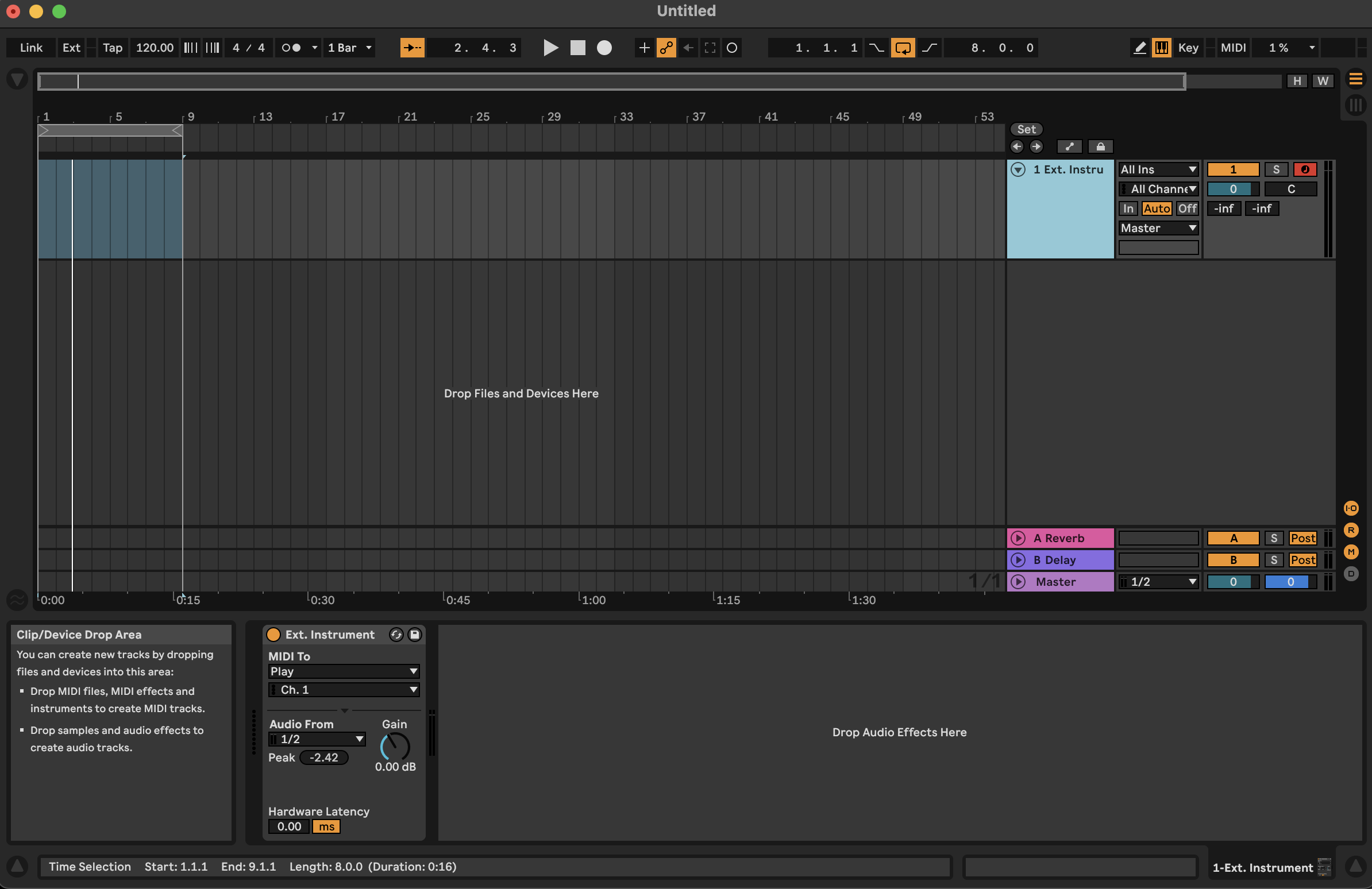
This is a screen shot of all the channels in my Live setup. Hope you can see details. I think I added my aggregate device setup earlier in the forum.
Just in case someone has the same problem as me, my Play+ just worked after a few days and I suspect that the reason is because I accepted to receive beta MacOS updates and now in Sonoma 14.3 seems to work properly.
In Ableton I set the Play+/Motu Ultralite MK5 aggregated device as input and the Motu only as output as the speakers are connected there and now the signal comes in like magic.
start looking into this connection for obvious reasons and I must say that so far the only device that is behave as it should is my Ipad Pro while for the nature of a Windows system ( running Win 10 on a i9 processor ) so far using the only asio drivers capable of handling more than one device at time ( ASIO4ALL ) I’m not having a good time, I did select Play only for input and used both M-Audio or Ni Komplete Audio 6 but still it seems that browsing patches on the synth side mess things up, on the first test I had an audio degradation ( without turning any synths ON ) and I thought to just leave the audio from the Play output and leave LIVE also passing audio through USB but it did not like it, crashing on unplugging the mini jack audio.
Maybe other Windows-Users will be interested in this as well:
I have no experience yet with this software, but if you are like me, you may already have a dedicated ASIO interface (in my case an RME Setup), are looking to merge/aggregate with other USB/Audio devices and are tired of ASIO4ALL. I’m hoping this might be a good alternative.
did you make sure they are all running at the same audio rate? it seems different rates 44.1 / 48 kHz may cause issues. ideally everything runs at 44.1 kHz.
If you are referring to the sample rate of the samples I Usually have them all at 44.11 Khz but I can double check, but my post was more about an issue which I think has been reported already such as freezing or crashing while connected to ableton and browsing patches while playing. I’m still early in the diagnose of bugs, mostly connected to my daw
I’ve actually took the time to test VB-Audio Matrix.
For those who don’t know who VB-Audio is. They developed a couple very popular apps for routing/consolidating audio devices for Windows. Most notably Virtual Audio Cable and Voicemeeter.
As of right now - while it works - it is not an ideal solution as the software only maps a max of 8 channels (when a device is not an ASIO device) from the Tracker Mini / Play+ . So for now ASIO4ALL is still your best choice.
I’ve had a chat with the developer though… it turns out that this seems to just be a software limitation and they’ve added it to their todo-list to up the max. channels for devices that don’t use ASIO.
So hopefully soon, this will be a very good alternative to ASIO4ALL for the Play+ and the Tracker Mini.

 I think I will return the unit because something should be wrong with it.