I totally agree. It’s got to be as transparent and spontaneous as possible. There are many devices out there that are pretty cool, but sample management is often such a pain and really snaps you out of that creative moment. I’m glad this tool is an inspiration for you!
That means a lot, I really appreciate it.
This looks awesome. Anyone else having trouble exporting? Both as a zip and as a project. I’m on v1.0.3 in the latest Chrome build.

Wow, super impressive project. I’m brand new to the Play+. This type of sample pack maker was one of the first things I thought of before even getting the device. A few weeks later, here it is and far more feature rich and well desigmed than I would have expected.
Is there a Github project for this? I’m quite interested in learning how this was put together.
I’m glad you enjoy the sample pack creator and get a lot of use out of it! There is no GitHub for this project, but it didn’t hurt to ask.
2 Likes
Have now had a chance to work with this and it’s been great. Everything works flawlessly in Safari. Thanks so much for this!
Would love to see the Slice Tool features expanded with some of the following features at some point if possible…
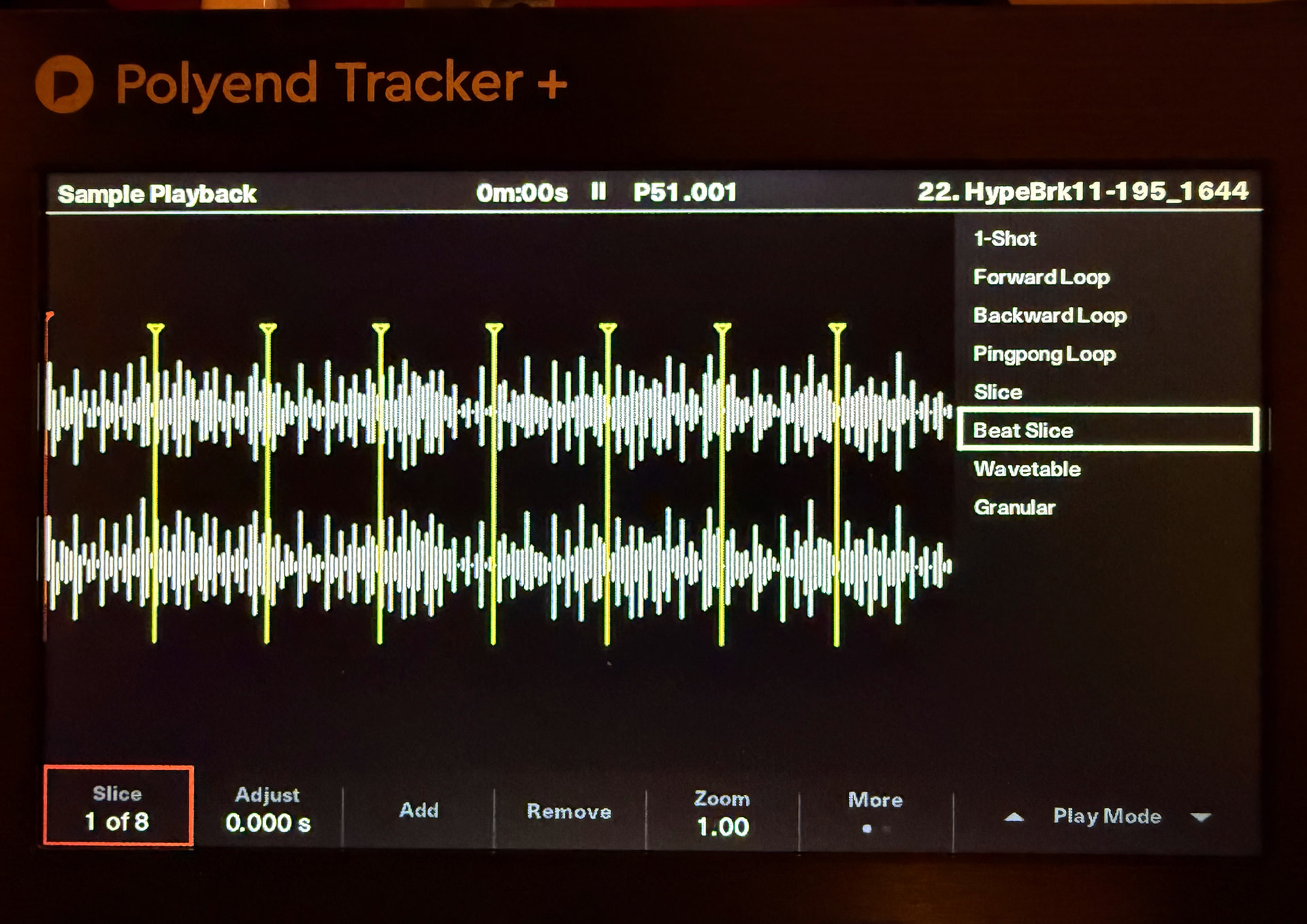
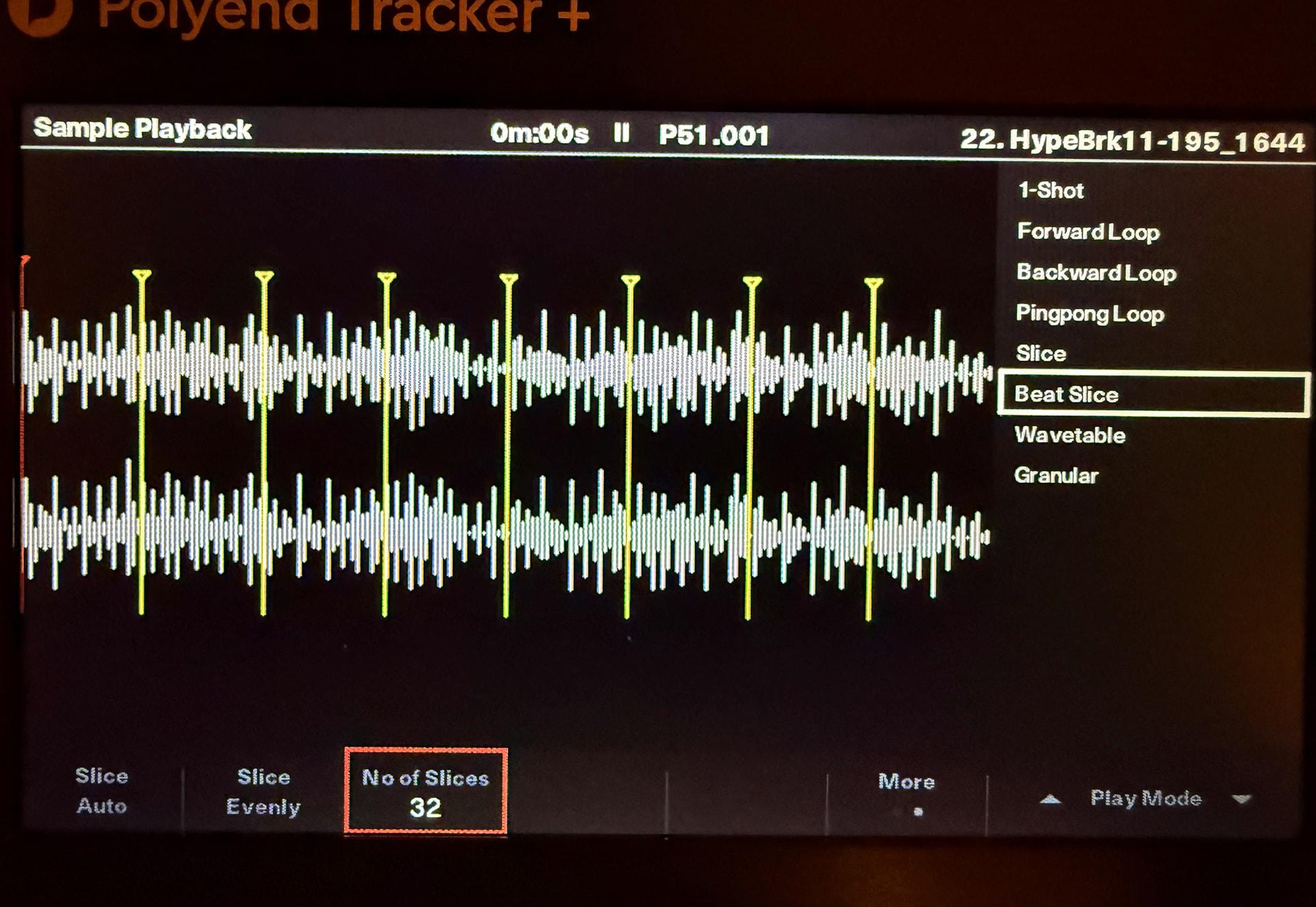
- Slice Evenly X number of slices
- Ability to Zoom on the waveform
- Greater precision on the Start slider with 2 numbers after the decimal point (0.00%) and the ability to type in the % value. Time based values instead of percentage could be great too.
- Maybe even some kind of transient detection Auto Slice (this one might be a stretch and is just a nice to have)
1 Like
These are excellent suggestions, noted. For the slice tool, would you prefer time-based over percentage, if you had to pick one?
2 Likes
Hard to say as I haven’t spent much time using % based. Since I typically do all of my slicing on the Polyend Tracker these days I would probably lean towards time based since that is what I am used to. I would say if it’s possible and not too cumbersome that it could be nice to see both time and percentage simultaneously… where if you change the percentage value it updates the time value and vice versa. Or if simultaneous is a challenge maybe a way to toggle between the two.
I imagine if you forked off the slicer into its own app that it would appeal to a lot of non-polyend play users as well. A nice slick quick slicer with tidy export like this would appeal to many. Or you could probably just open up what currently exists to a wider audience with a few tweaks that would also gear it towards those who use other samplers or who make and distribute sample packs. It would be a slick way for them to create and organize their sample packs. It’s pretty much there already, with some slicer improvements and some options for custom stereo, sample & bit rate output it would be there. In the device toggle you could maybe add “custom” next to Play & Play+ that would allow people to select custom stereo/sample/bit rate options. Just some thoughts over coffee I thought I would share… totally understand if you want to keep it just focused on Play. 
BTW all the slicer functions I mentioned are from the slicer on the Tracker btw. Here are the two screens from Tracker’s slicer for reference.
2 Likes
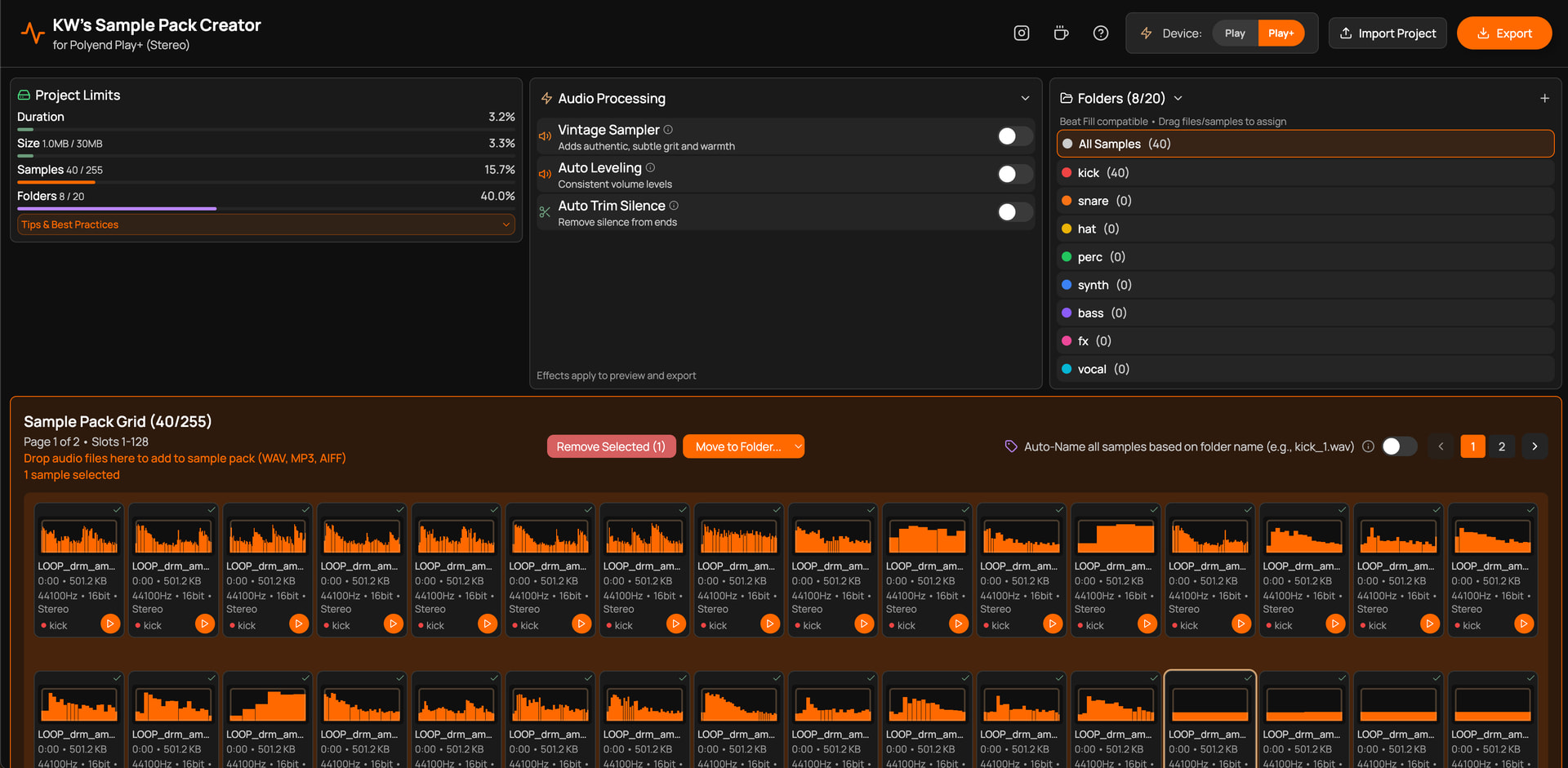
Good news, version 1.1.0 of KW’s Sample Pack Creator is live and brings several new requested features. Enhancements include:
-
Enhanced Sample Slicing waveform resolution for easier editing!
-
Option for either time or percentage display in Sample Editor
-
Auto-slice samples feature- evenly slice, or detect transients with intelligent sample detection
-
Improved, more efficient UI layout for faster, easier Sample Grid access
-
Performance optimizations for large sample libraries
Have fun and enjoy, thank you!
5 Likes
This is absolutely bonkers! You sir, are a hero 
2 Likes
Version 1.1.0 is now live and does these things, including the ability to dial in your start and end points to two decimals’ accuracy.
2 Likes
Thank you Dann!
Possible to make something like this for Polyend SYNTH and Polyend STEP? 
1 Like
Wow. Amazing! Thanks a lot !

1 Like
Right on!
Wow that was fast! Incredible work. The updated slice mode rules. Thanks so much for these updates Kelly. This will be a life saver. Def speeds up some of the more time consuming parts of my process, which means more time to focus on the juicy bits. 
2 Likes
Absolutely amazing! This is immediately my preferred method for sample chopping and organisation  Thank you @kmwarner for sharing!
1 Like
TIP: You can drag and drop samples directly from Splice into the Sample Pack Creator. 
Version 1.1.1 is out- the “Hats” folder is now named correctly for Beat Fill compatibility. Be sure to check out the previous and significant 1.1.0 revisions which include:
•Enhanced slicer waveform resolution for easier editing
•Option for either time or percentage display in Sample Editor
•Auto-slice samples feature- detects transients with intelligent sample detection
•Improved UI layout for more efficient Sample Grid access
•Performance optimizations for large sample libraries
New feature requests are welcome.
4 Likes
Hi, great work on this. Possible feature request, sample pitch detection and pitch shift feature. Currently I am re-pitching samples individually in a DAW to C4 to make samples easier to use when writing music within the Polyend Play interface. Could save time if you have instrument samples that aren’t C4. Thanks!
1 Like