Can you provide a link, Thanks!
I believe you should be able to grab it via their Discord server;
It’s just a few posts above you. These forums generally frown on posting the same link multiple times.
Edit: When you join the Discord server, please read the post that the invite drops you on in #start-here . It has a map of where to get help/fixes.
Pete
Microsoft
I’m still having this issue. New drivers don’t work as states “device settings not migrated”.
No option to roll back to old drivers or change drivers as Windows is insistent that I have the best and correct drivers installed.
You can force it. Check here:
If you need a step by step instructions, let me know and i‘ll prepare some.
@Sandroid instructions on how to force it would be useful as I don’t appear to have the same options as in the screenshots.
Alright @benny_boy35 , as promised. 
Step 1: Launch Device Manager
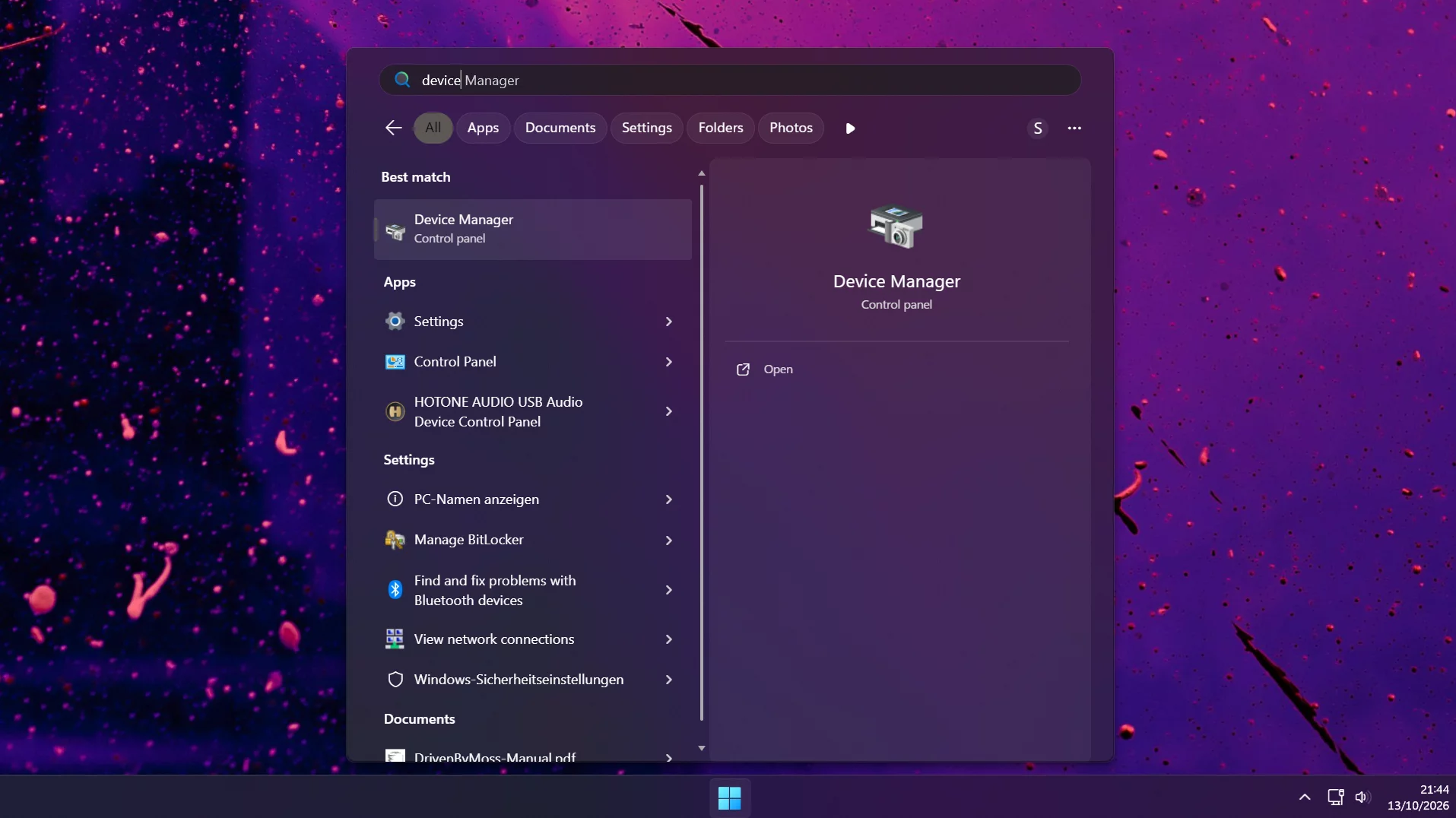
Step 2: You’ll find the MIDI device under Sound, video and game controllers and it will be designated with MIDI (which now by default uses the new USBMidi2 implementation).
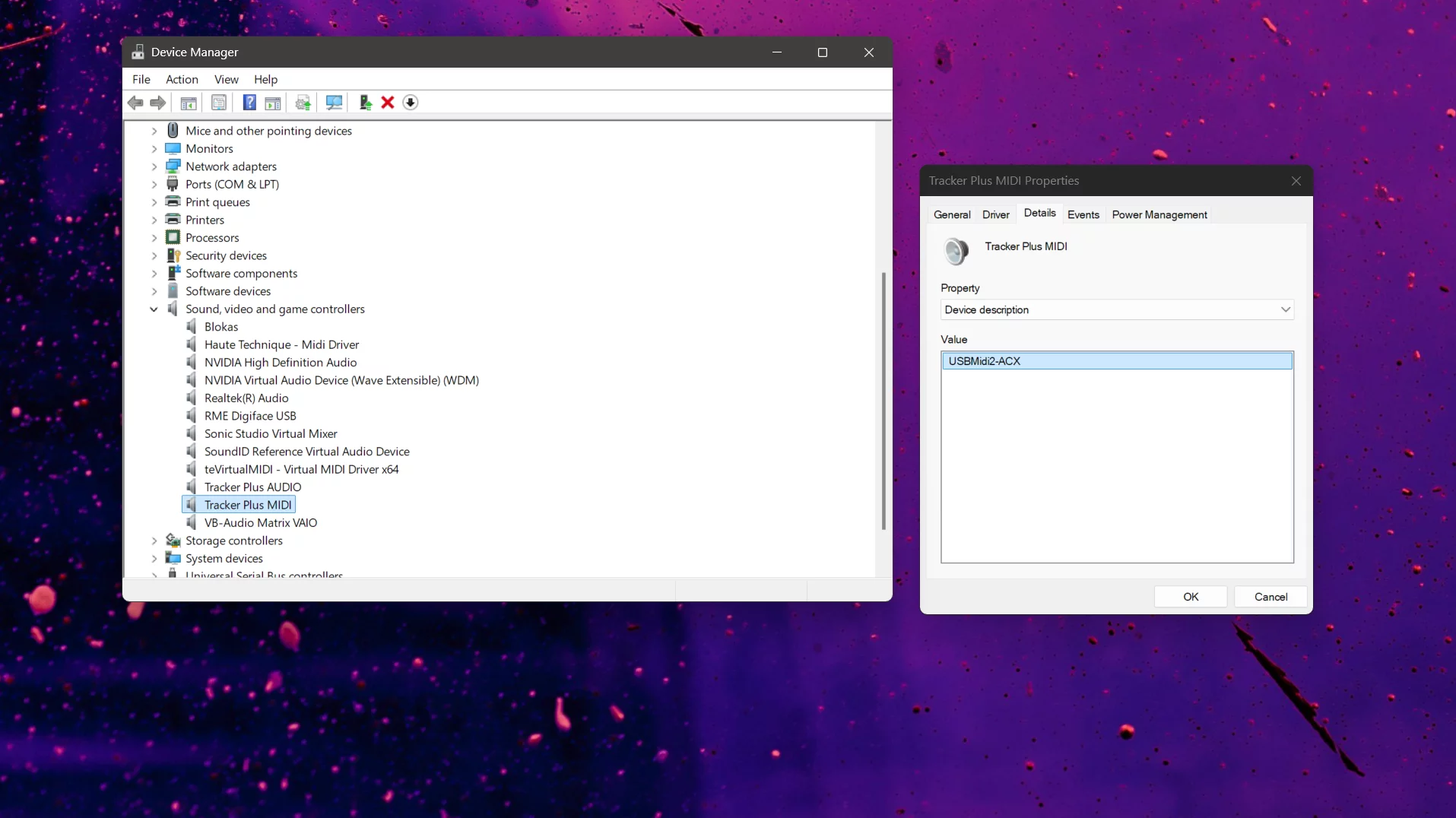
Step 3: Select Update Driver
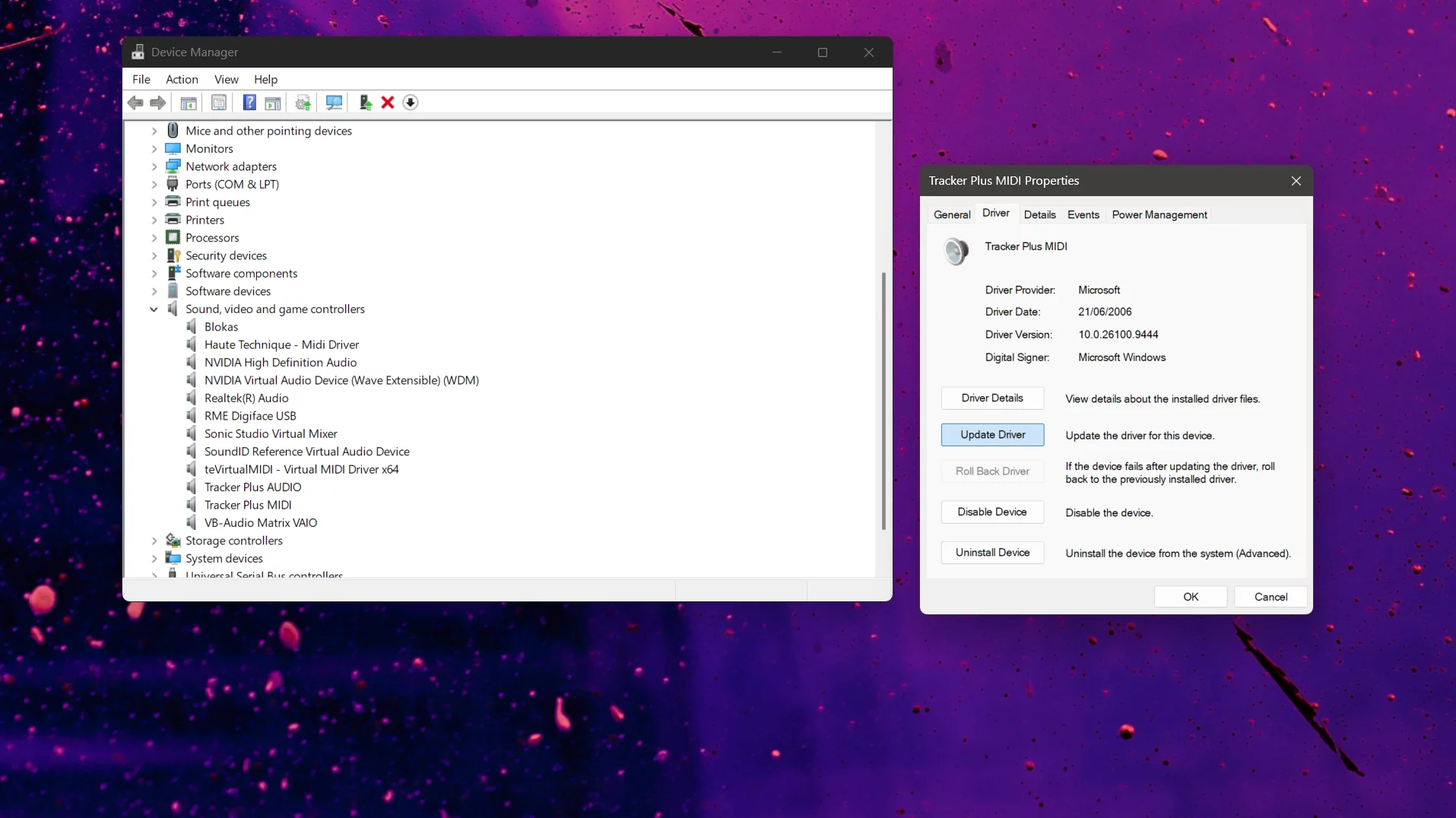
Step 4: Click Browse my computer for drivers
Step 5: Click Let me pick from a list of available drivers on my computer
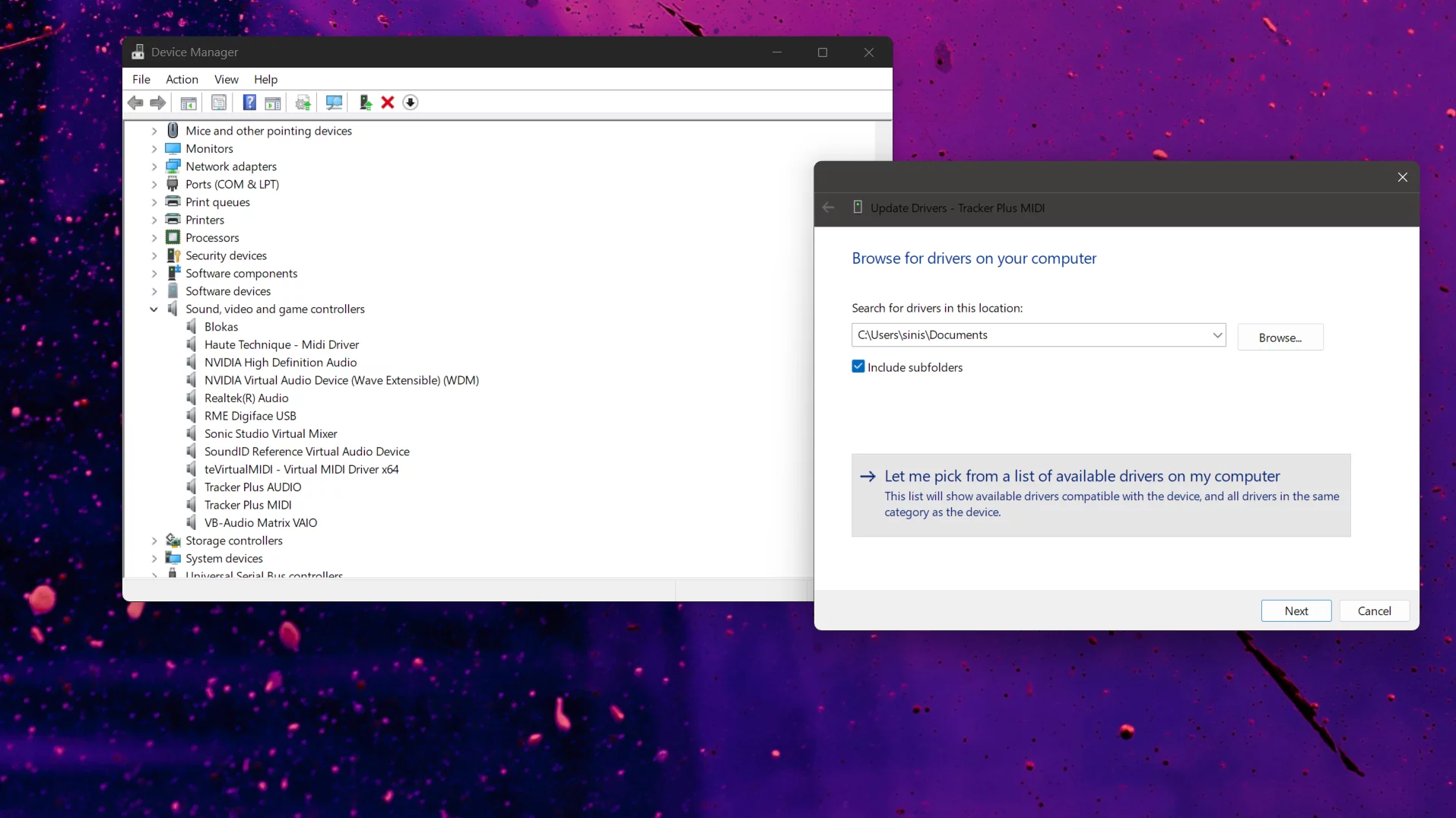
Step 6: Pick the USB Audio Device and click Next.
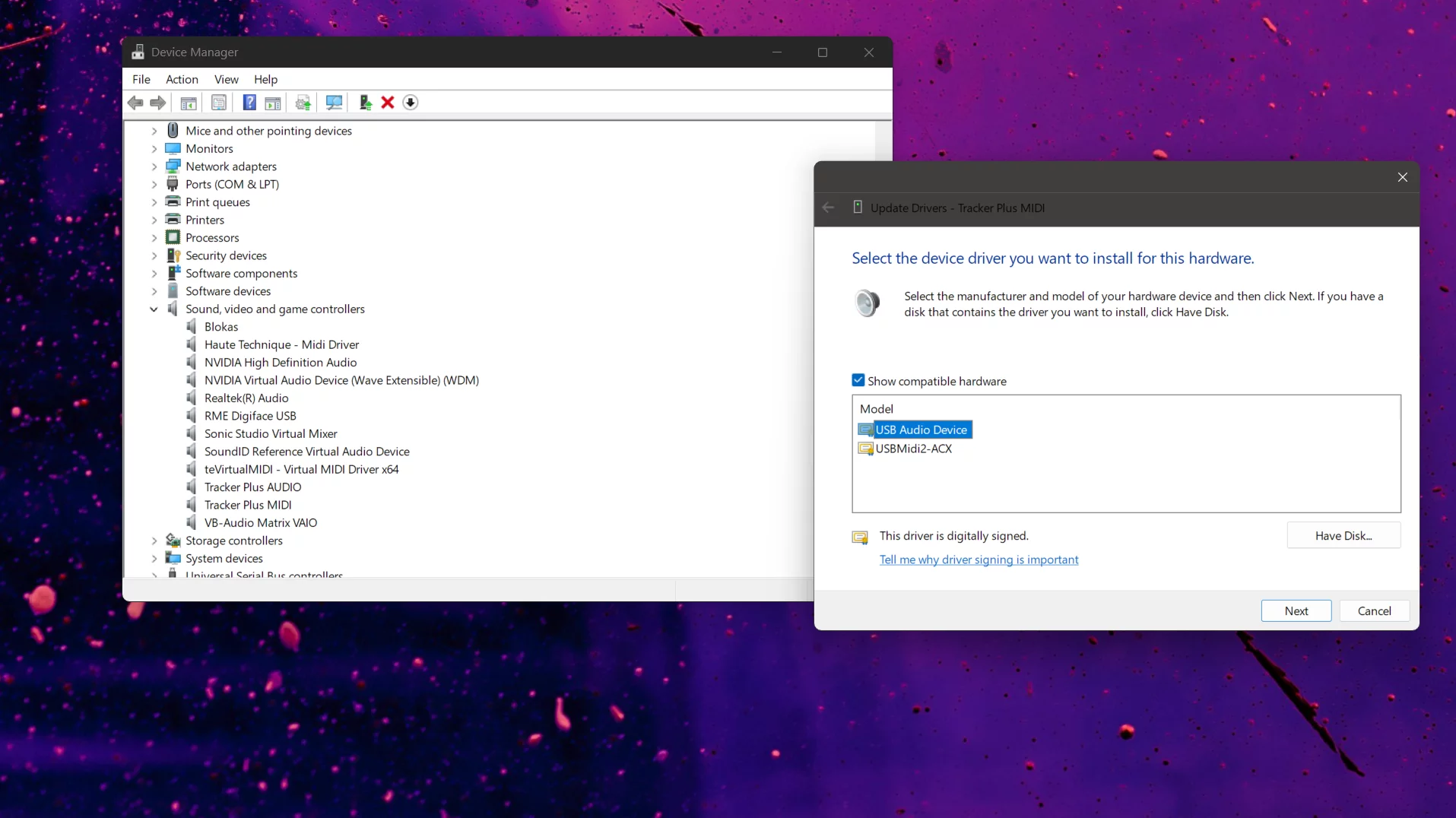
That’s it. Your device should show up as a MIDI device again.
So no need to update to USBMidi2-ACX then?
For now? No.
Just want to mention this is just a workaround for a problem. Event time you change the USB port, Synth/Mess drivers need adjustment. So it’s a bit annoying.
As a user who just came across this pblm, is Polyend planning to update their devices so that they work on this new spec?
I have to say that this update from MS seems amazing (and long overdue) so I really hope there is a proper update.