Connectivity issues

Hi, I have issues with midi & usb connectivity :

USB : I’ve tried to connect STEP to my DAW via USB. My PC sees STEP, my DAW doesn’t, midi in via USB does not work. Precision : I had it working when I first got my STEP, but I had to send it back to Polyend for another issue. When I got it back USB doesn’t seems to work anymore

Midi : I’ve tried to sync clock with 2 different synths. I can make clock out work, but clock in does not. When Clock in is on Jack, the Play switch STEP doesn’t work.

Any help, please ?
Hey Emma,

  • What operating system are you using? (windows, mac, linux)
  • Keep in mind that MIDI is TRS B. How are you connecting the devices?

For when you are sending clock in. What option have you chosen for the “Transport In” ?

Hi Sandro,

Thanks for your reply.

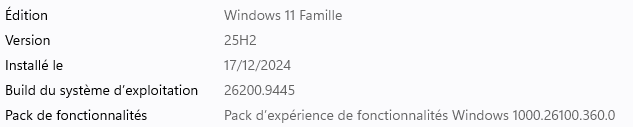
  • My OS is Windows :

  • I use TRS B indeed. I’m sure because my cable works when STEP is in Clock Out.
  • When I use Clock In, I’ve tried all for Transport In, but it doesn’t change anything : STEP doesn’t start and the Play switch is inactive.

I‘ll honestly have to try myself tomorrow and will let you know what i find. :hugs:

So i’ve tried by connecting the MESS to the STEP.

STEP Settings:

  • Clock In: Jack
  • Transport In: Jack

MESS Settings:

  • Clock Out: Jack
  • Transport Out: Jack

STEP works as expected. Even if i don’t turn on Transport In, i can press play on the STEP at any time to start or stop.

Can you give me more details what you’ve tried?

  1. I’ve tried connecting the STEP via USB to my computer. Windows sees it :

but MIDI is not working (this tester doesn’t see STEP) :

And if I put Clock in USB the Play switch is off (Transport, CC,… are off) :

  1. I’ve connected STEP Midi In to a synth Midi Out, Clock in on Jack :

Same effect, except the Play switch works for only one note and then stops.

I’ve tried with other options for Transport, no change.

I’ll try on my windows machine tomorrow and will report back :flexed_biceps: