DISCLAIMER:
All community-created firmwares and modifications are provided “AS IS” without official warranty, support, or maintenance from Polyend. Installing and running custom builds is done entirely at your own risk. To the maximum extent permitted by applicable law, Polyend disclaims all liability for data loss, device malfunction, or hardware damage resulting from custom firmware.
Use at your own discretion and enjoy exploring the creativity of our talented community!
Huge thanks to Polyend for opening up their firmware to us devs with the Community Edition. Seriously, we should all be grateful for this one. Now the fun starts.
I was about to release a patcher with these mods for Mini, Tracker+ and Tracker, but now that the code is out I just built them straight into the CE firmware. Everything CE does still works, this adds stuff on top.
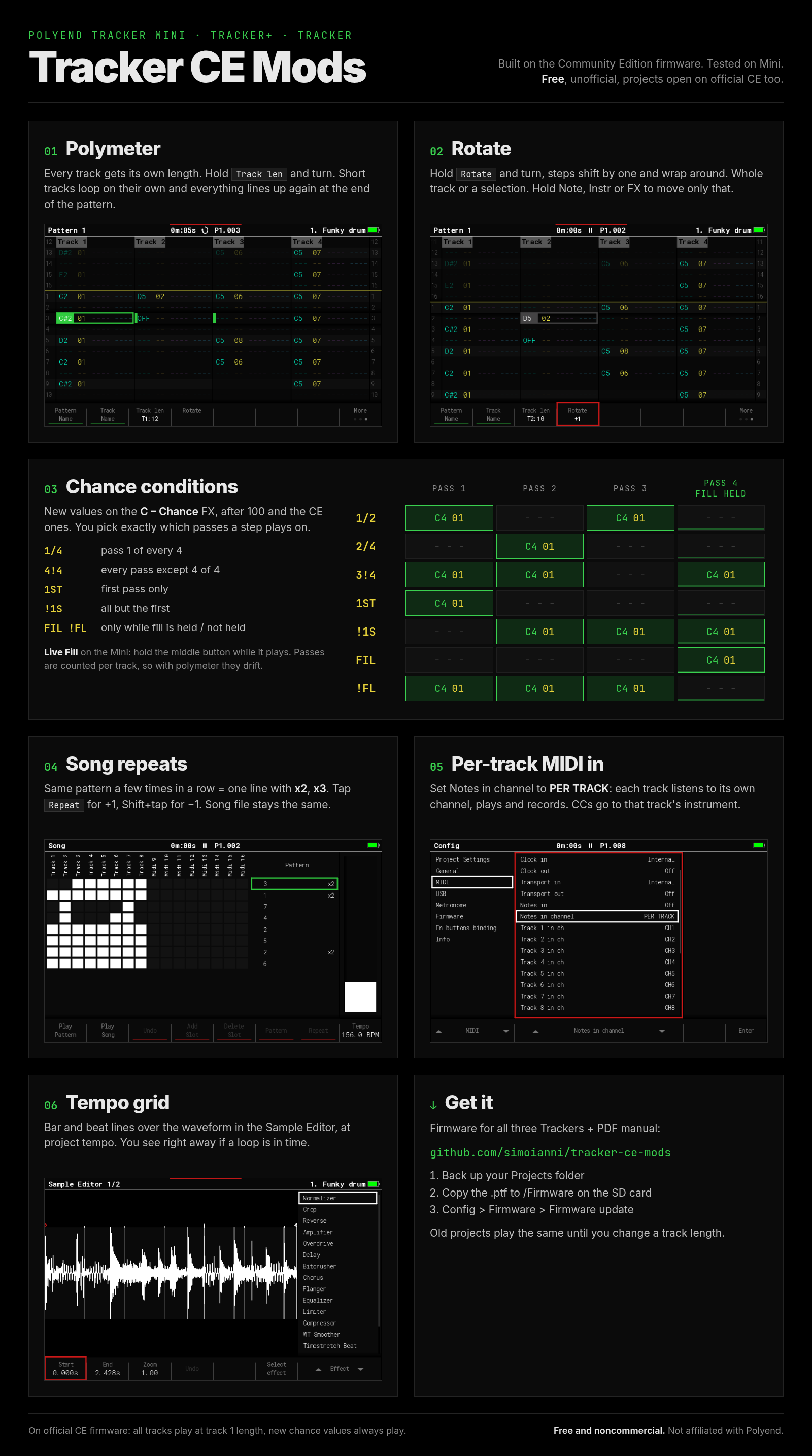
- Polymeter, each track can have its own length
- Rotate, shift a track or a selection, steps wrap around
- New Chance values: pass 1 of every 4, first pass only, fill only, etc.
- Live Fill on the Mini, hold the middle button while it plays
- Song repeats, same pattern in a row shows as one line with x2, x3
- Per-track MIDI in, each channel plays and records its own track, CCs too
- Tempo grid in the Sample Editor
There’s a .ptf for Mini, Tracker+ and the original Tracker, plus a PDF manual:
Manual direct link: tracker-ce-mods/Tracker-CE-Mods-Manual.pdf at main · simoianni/tracker-ce-mods · GitHub
Only tested on the Mini so far, but Tracker+ and Tracker should work. Install is the usual: .ptf in /Firmware, then Config > Firmware. Back up your projects first.
I’ve got a lot more ideas to add, but I know these were some of the most requested ones, so here they are. If you find bugs let me know.